The Easiest Way to Move an Object to the 3D Cursor in Blender
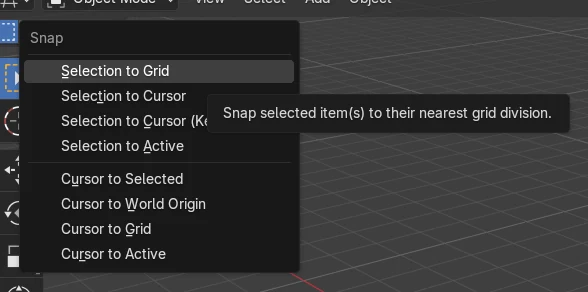
Select the object in Object Mode, then choose Object › Snap › Selection to Cursor in the 3D Viewport. The object's origin jumps to the 3D cursor, and the cursor does not move. The same command is also in the right-click menu under Snap.
- Mode
- Object Mode, 3D Viewport
- Menu
- Object › Snap › Selection to Cursor
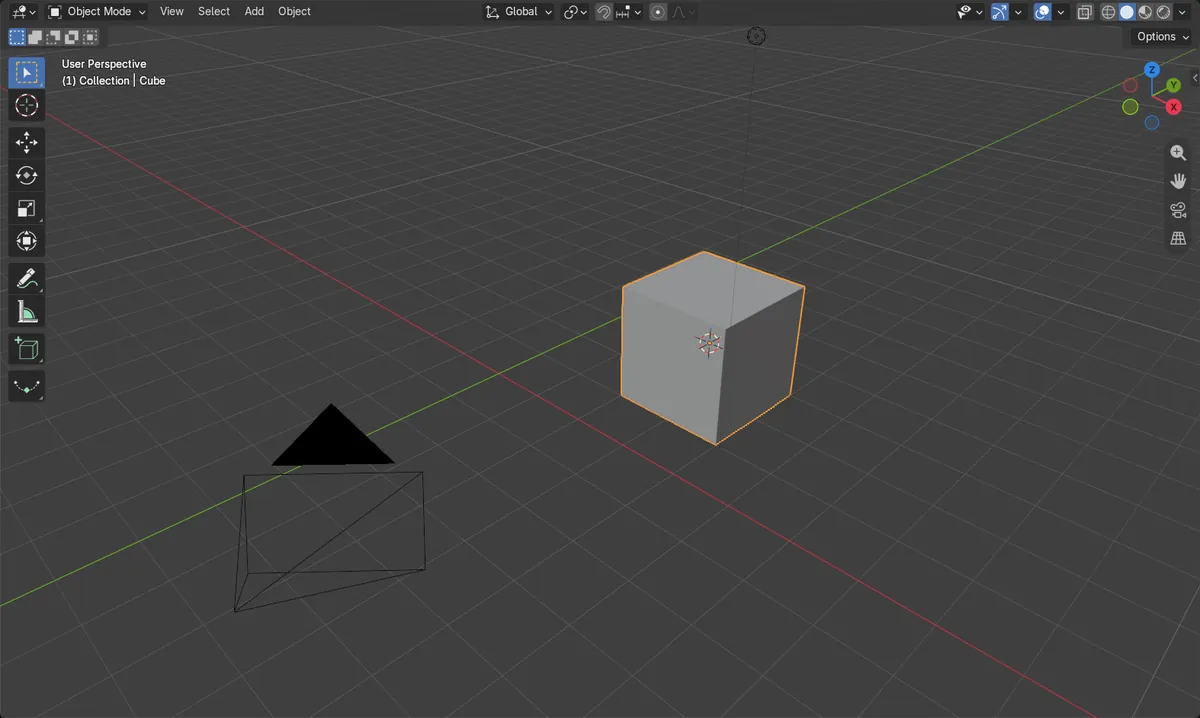
Use the Snap menu
Object › Snap › Selection to Cursor. No default key is needed.
Right-click works too
Right-click in the viewport, then pick Snap › Selection to Cursor.
Cursor stays put
Only the object moves; its mesh is unchanged.
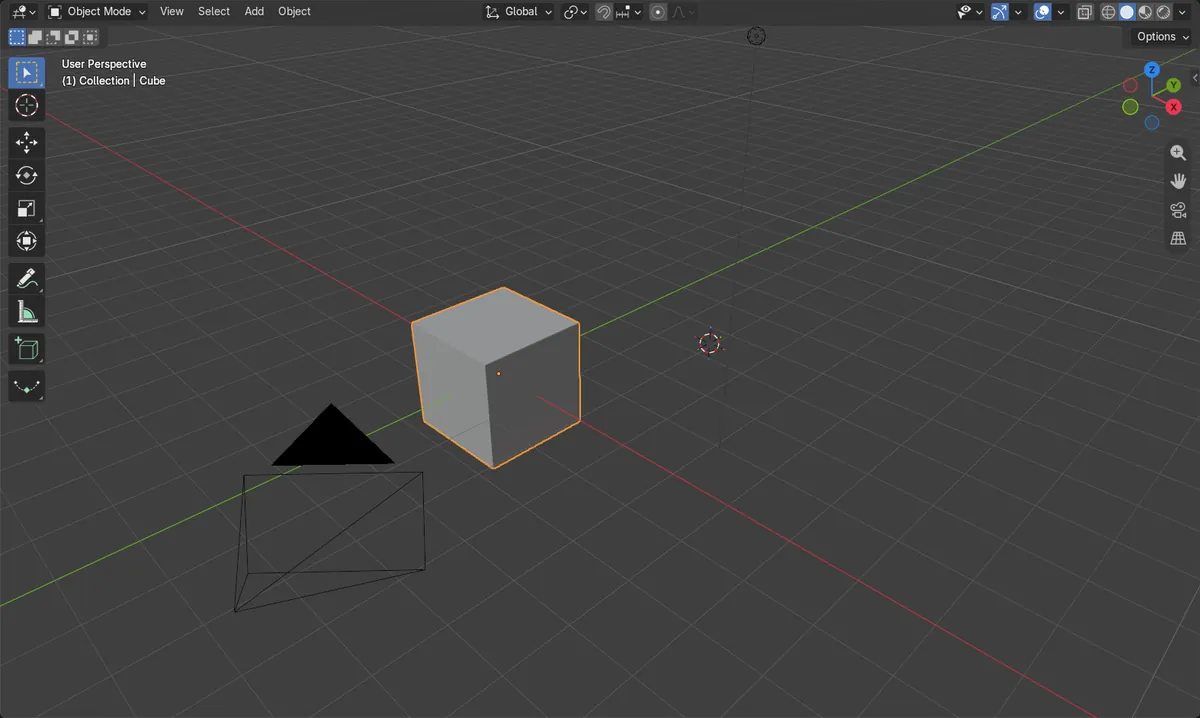
Before and after

AI Scene Builder is a Blender add-on. You type what you want, and it builds it in your scene: buildings, neon signs, wet pavement, fog and lights. Nothing in this picture was modeled by hand.
On a phone now? The add-on runs in Blender on a computer. Send yourself the link and open it there.
Step by step (Blender 5.x)
- Move the mouse over the 3D Viewport and click the object to select it (Object Mode).
- Make sure the 3D cursor is where you want it. You can type its position in the 3D Viewport sidebar, in the 3D Cursor panel › Location.
- Open the Object menu in the viewport header and choose Snap › Selection to Cursor.
- The object's origin now sits exactly at the 3D cursor.
Other ways to do it
- Right-click in the 3D Viewport › Snap › Selection to Cursor
- Object › Snap › Selection to Cursor (Keep Offset) keeps the object's position relative to the cursor
- Snap pie menu: it also contains Selection to Cursor
Common snags
Nothing moves
No object is selected, so there is nothing to snap. Click the object in the viewport first, then run Snap › Selection to Cursor.
Wrong editor
The Object menu you need is in the 3D Viewport header. Hover over the 3D Viewport before using the menu or right-click.
Cursor is not where you expect
The cursor may still be at its old position. Check the 3D Cursor panel › Location in the sidebar and set the values you want, then snap again.
Or type one line in AI Scene Builder
AI Scene Builder is a Blender add-on that carries out the steps for you from one typed request. For this task, type a request like this one, using your own object names:
Move the selected object to the 3D cursor A log cabin room built with the add-on from 9 typed requests. See every request →
Questions
Does moving the object to the 3D cursor move the cursor?
No. Only the selected object moves; the cursor keeps its location.
How do I move the cursor to an object instead?
Use Snap Cursor to Selected from the Snap menu. It places the cursor at the middle of the selected item(s).
Is there a default key for it?
No default key is set for the snap-to-cursor command, so use the Object › Snap menu or the right-click menu.
What the pictures show
- A cube started at (0, 0, 0) m.
- The 3D cursor was at (3, 2, 1) m.
- After Selection to Cursor the cube was at (3, 2, 1) m.
- The cursor stayed at (3, 2, 1) and the cube still had 8 vertices.