How to Rename an Object in Blender
Select the object, hover the 3D Viewport and press F2 (Edit › Rename Active Item). Type the new name and confirm it with Enter. You can also double-click the object's name in the Outliner, or edit the name field at the top of the Object Properties tab. Only the object is renamed; its mesh data keeps its own name.
- Mode
- Object Mode, 3D Viewport
- Menu
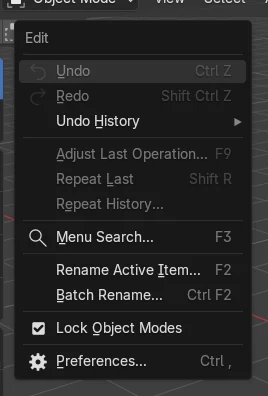
- Edit › Rename Active Item
- Shortcut
- F2
F2
Renames the active object from the 3D Viewport.
Double-click in the Outliner
Edits the name directly in the list.
Batch Rename
Ctrl + F2 renames many objects at once.
Before and after

AI Scene Builder is a Blender add-on. You type what you want, and it builds it in your scene: buildings, neon signs, wet pavement, fog and lights. Nothing in this picture was modeled by hand.
On a phone now? The add-on runs in Blender on a computer. Send yourself the link and open it there.
Step by step (Blender 5.x)
- Click the object to make it the active object.
- Hover the 3D Viewport and press F2. A small Rename Active Item box opens.
- Type the new name and confirm it with Enter.
- Check the Outliner: the object now shows the new name.
Other ways to do it
- Double-click the object's name in the Outliner and type a new one
- Edit the name field at the top of the Object Properties tab
- Edit › Batch Rename (Ctrl + F2) for several objects at once
Common snags
The name ends with .001
Names must be unique. Another object already uses that name, even if it is hidden or in another scene.
The wrong object was renamed
F2 renames the active object, the one selected last. Click the object you want first.
The mesh still has the old name
The object and its mesh data have separate names. In the test the object became Crate while the mesh data stayed Cube. Rename the mesh in the Object Data Properties tab if needed.
An AI add-on for Blender
AI Scene Builder is a Blender add-on that builds and edits your scene from one typed request, such as “a small wooden table with two chairs”. Each request can be undone in one click.
 A lighthouse island at sunset built with the add-on from 10 typed requests. See every request →
Questions
How do I rename several objects at once in Blender?
Select them and use Edit › Batch Rename (Ctrl + F2) to find and replace text or add a prefix.
How do I show object names in the viewport?
Open the Object Properties tab, then Viewport Display, and turn on Name.
Does renaming change the material or mesh name?
No. Materials and mesh data have their own names, which you rename in their own tabs.
What the pictures show
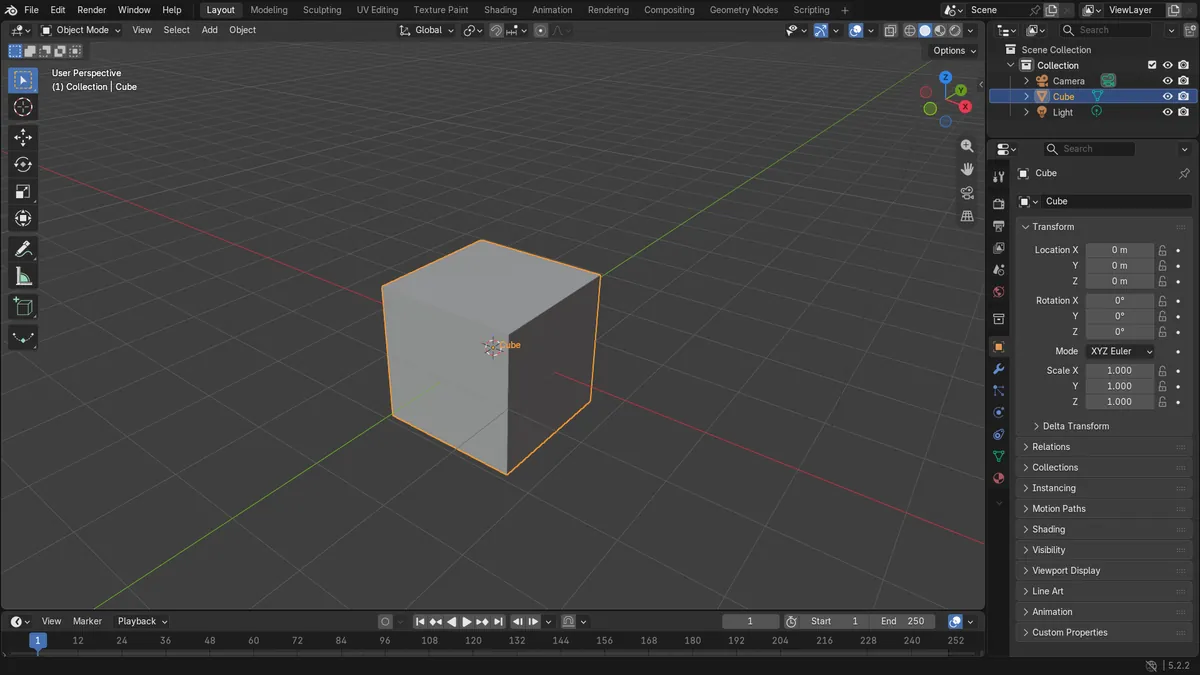
- Before: the scene had Camera, Cube and Light.
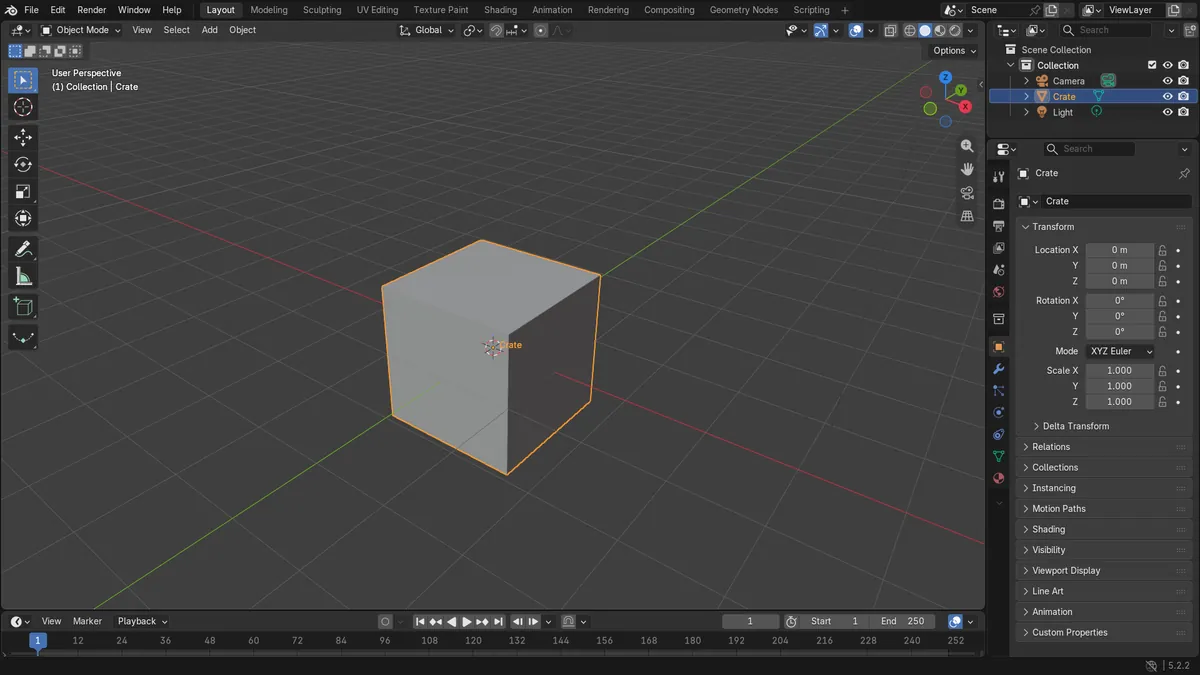
- After renaming with Rename Active Item, the list read Camera, Crate and Light, and Crate was still the active object.
- The mesh data of the object kept the name Cube.
- Results were identical in Blender 4.2 LTS and Blender 5.x.