How to Set the Origin to the Center of an Object
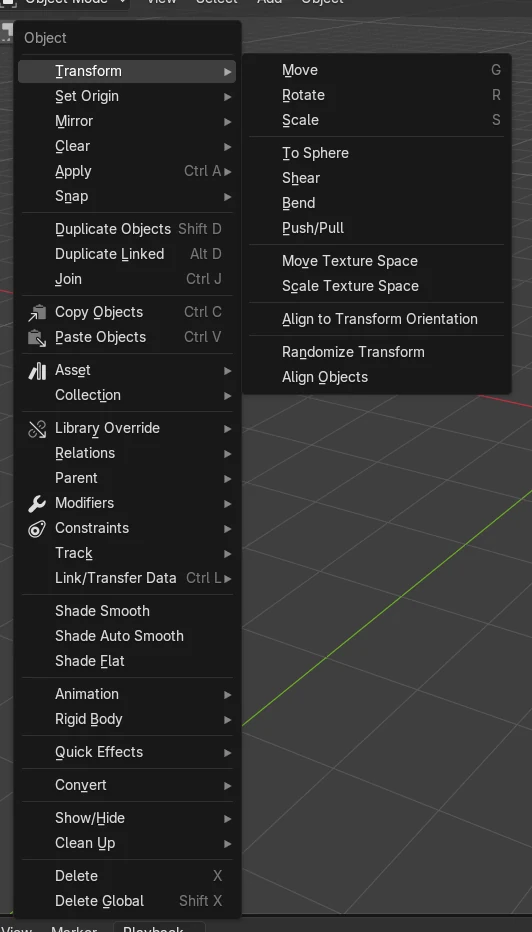
Select the object in Object Mode and choose Object › Set Origin › Origin to Geometry. The orange origin dot moves to the centre of the mesh, while the mesh itself stays exactly where it is. The same Set Origin menu is in the right-click menu.
- Mode
- Object Mode, 3D Viewport
- Menu
- Object › Set Origin › Origin to Geometry
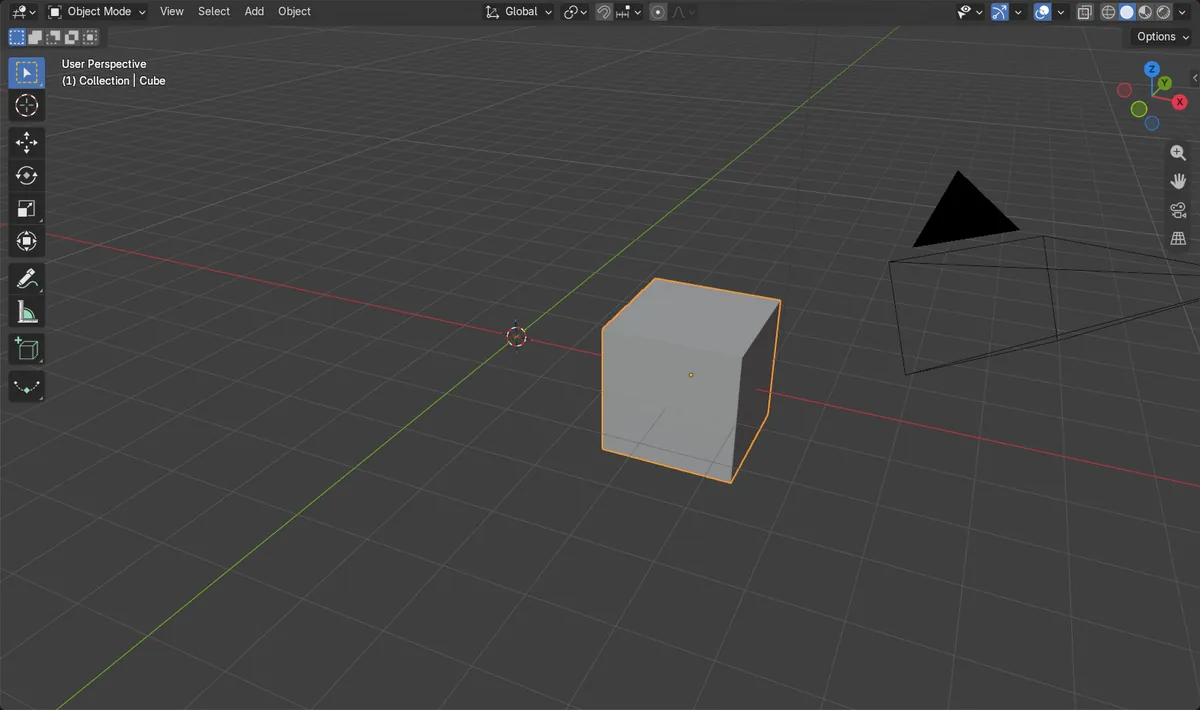
Origin to Geometry
Centres the origin on the mesh without moving the mesh.
Right-click works too
Set Origin is also in the Object context menu.
Median or Bounds
The Center option picks the average point or the bounding box middle.
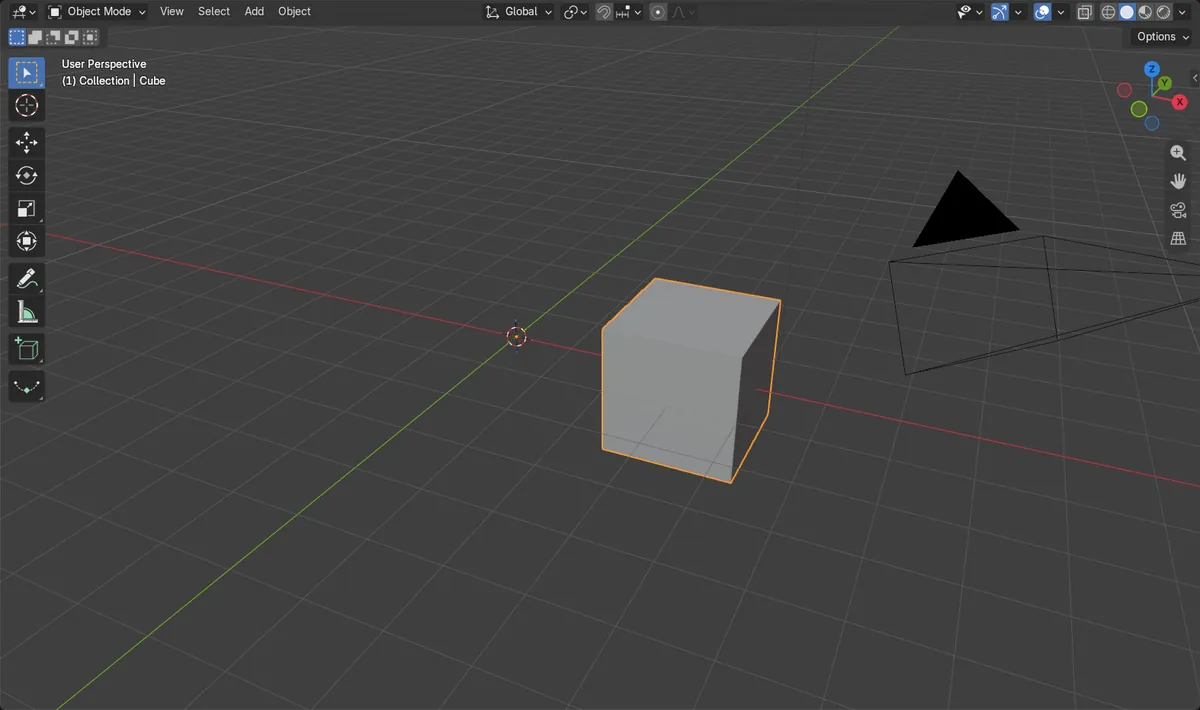
Before and after

AI Scene Builder is a Blender add-on. You type what you want, and it builds it in your scene: buildings, neon signs, wet pavement, fog and lights. Nothing in this picture was modeled by hand.
On a phone now? The add-on runs in Blender on a computer. Send yourself the link and open it there.
Step by step (Blender 5.x)
- Make sure you are in Object Mode (press Tab if you are in Edit Mode).
- Click the object whose origin is off to the side.
- Open Object › Set Origin in the 3D Viewport header, or right-click the object.
- Choose Origin to Geometry. The orange dot jumps to the middle of the mesh.
- Optional: open the Adjust Last Operation panel in the lower left and set Center to Bounds Center for the middle of the bounding box.
Other ways to do it
- Right-click the object and choose Set Origin › Origin to Geometry
- Set Origin › Origin to 3D Cursor puts the origin exactly where the 3D Cursor is
Common snags
The whole object moved
Geometry to Origin was picked instead. It moves the mesh onto the origin. Undo that step and choose Origin to Geometry, the second entry in the list.
Set Origin is greyed out or missing
The menu only exists in Object Mode. Press Tab to leave Edit Mode first.
The origin is not quite in the middle
The default Median Center uses the average of all vertices, so a dense area pulls it over. Switch Center to Bounds Center in the Adjust Last Operation panel.
An AI add-on for Blender
AI Scene Builder is a Blender add-on that builds and edits your scene from one typed request, such as “a small wooden table with two chairs”. Each request can be undone in one click.
 An evening market street built with the add-on from 11 typed requests. See every request →
Questions
How do I center the origin in Blender?
Select the object in Object Mode and use Object › Set Origin › Origin to Geometry.
What is the difference between Origin to Geometry and Geometry to Origin?
Origin to Geometry moves the origin to the mesh. Geometry to Origin moves the mesh to the origin, so the object changes position.
How do I move the origin to a specific point?
Place the 3D Cursor at that point, then use Object › Set Origin › Origin to 3D Cursor.
What the pictures show
- Before: a cube whose mesh sits 3 m to the right of its origin; the origin was at x 0 m.
- After Origin to Geometry: the origin is at x 3 m, right in the middle of the mesh.
- The mesh centre stayed at x 3 m in world space, so the shape did not move.
- Results were identical in Blender 4.2 LTS and Blender 5.x.