How to Add a Text File as a Text Strip in the Blender 5.3 Video Editor
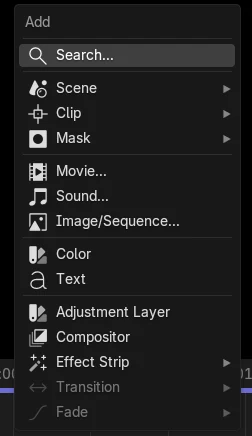
In Blender 5.3, open the Video Sequencer and choose Add › Text (Shift + A). This runs Add Text Strip, which can load a .txt file: the new text strip shows the file's lines as its text. You can also drag a .txt file from your file browser onto the sequencer timeline to make a text strip from it.
- Mode
- Video Sequencer
- Menu
- Add › Text
- Shortcut
- Shift + A
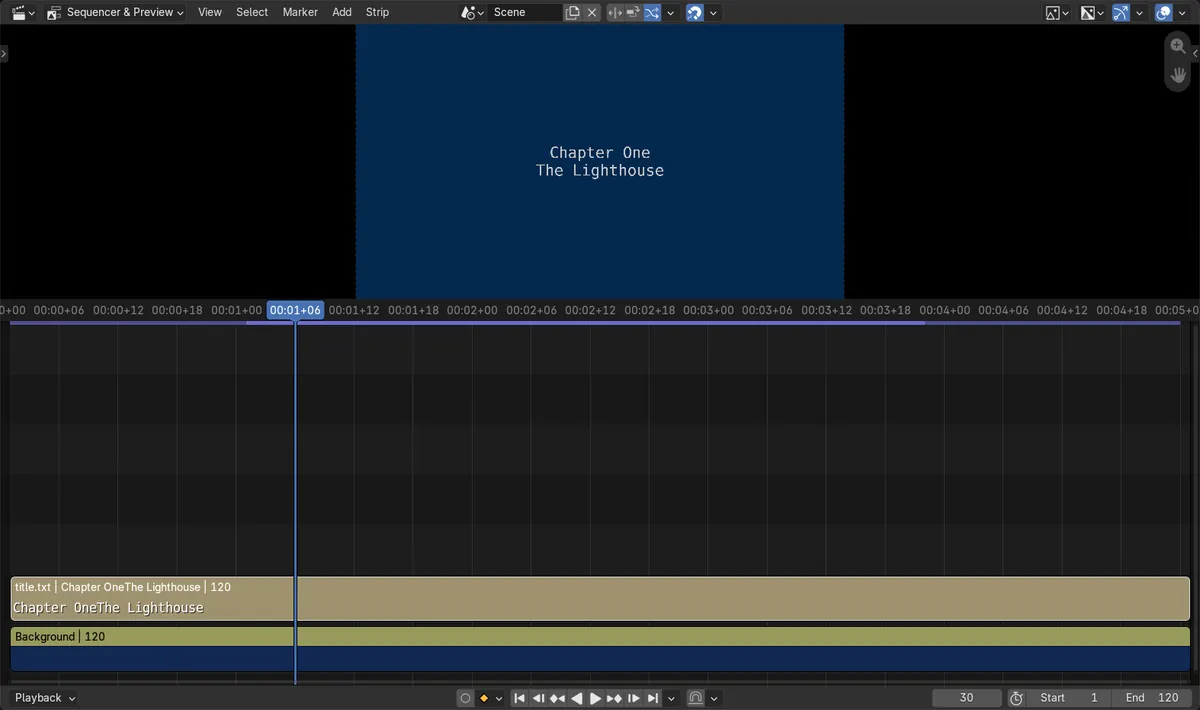
Text comes from the file
A file with the two lines Chapter One and The Lighthouse became one text strip showing both lines.
Drop a .txt on the timeline
The sequencer accepts .txt files dropped onto it and turns them into text strips.
New in 5.3
Blender 5.2 LTS has no Add Text Strip operator; its Add › Text only makes an empty text effect strip.
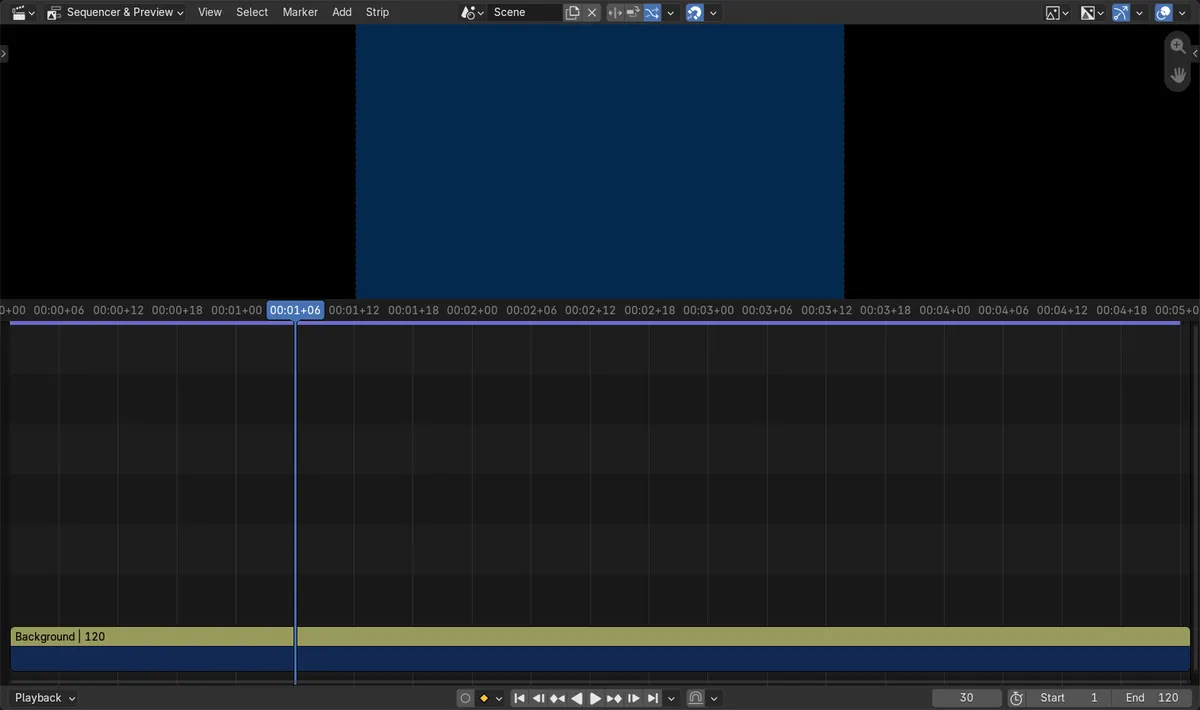
Before and after

AI Scene Builder is a Blender add-on. You type what you want, and it builds it in your scene: buildings, neon signs, wet pavement, fog and lights. Nothing in this picture was modeled by hand.
On a phone now? The add-on runs in Blender on a computer. Send yourself the link and open it there.
Step by step (Blender 5.3)
- Open the Video Editing workspace, or switch an area to the Video Sequencer.
- Put the playhead where the text should start and press Shift + A, or open the Add menu.
- Choose Text. Add Text Strip opens; pick your .txt file and confirm.Blender 5.2 LTS: In 5.2 LTS, Add › Text adds an empty text strip and you type the text into it.
- The new text strip shows the lines from the file. Drag its ends to set how long the text stays on screen.
- Select the strip and use the Sidebar (N) to change font, size, color and position like any text strip.
Other ways to do it
- Drag a .txt file from your file browser and drop it onto the sequencer timeline.
- Press Shift + A in the timeline and type Text in the menu search.
Blender 5.2 LTS vs Blender 5.3
| What | Blender 5.2 LTS | Blender 5.3 |
|---|---|---|
| Add › Text in the Video Sequencer | Adds an empty text effect strip; there is no option to load a file. | Runs Add Text Strip, which can load a .txt file into the strip. |
| Dropping a .txt file onto the timeline | Not available. | Makes a text strip from the file. |
Common snags
Only .txt files
The sequencer accepts plain .txt files for text strips. Copy text from a document into a .txt file first.
Line breaks are kept
Each line in the file becomes its own line in the strip. Remove extra line breaks in the file if you want one long line.
Strip length
The text strip has a length like any other strip. Drag its right edge if the text disappears too early.
An AI add-on for Blender
AI Scene Builder is a Blender add-on that builds and edits your scene from one typed request, such as “a small wooden table with two chairs”. Each request can be undone in one click.
 An evening market street built with the add-on from 11 typed requests. See every request →
Questions
Can I import a text file into the Blender Video Editor?
Yes, in Blender 5.3. Use Add › Text in the Video Sequencer and pick a .txt file, or drop the .txt file onto the timeline. The file's lines become the text strip's text.
How do I add text to a video in Blender?
In the Video Sequencer, press Shift + A and choose Text. In Blender 5.3 you can load the words from a .txt file; then style the strip in the Sidebar.
Does Blender 5.2 LTS load text files into text strips?
No. Loading a .txt file into a text strip is new in Blender 5.3. In 5.2 LTS you type the text into the strip yourself.
What the pictures show
- Blender 5.3: before, the timeline had only a color strip and no text strips.
- Blender 5.3: Add Text Strip with a .txt file holding Chapter One and The Lighthouse made one text strip on channel 2, starting at frame 1 and 120 frames long.
- Blender 5.3: the strip's text matched the file exactly, with both lines.
- Blender 5.3: the sequencer accepts .txt files dropped onto it as text strips.
- Blender 5.2 LTS: the Add Text Strip operator does not exist.