How to Append in Blender Without Keeping Linked Materials (Make Linked Local)
When you use File › Append, keep Make Linked Local turned on in the options of the file browser. Then the object and everything it uses that was linked from other .blend files, such as its material, becomes local and editable. In Blender 5.4 the option is called Make Linked Local; in Blender 5.3 and older it is called Localize All. It is on by default.
- Mode
- Object Mode (File > Append)
- Menu
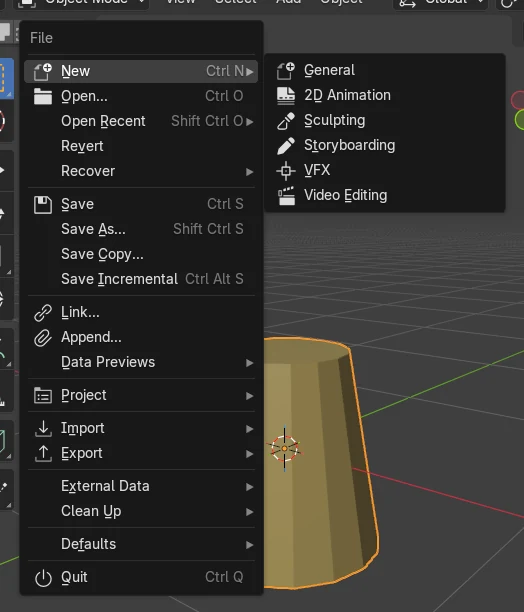
- File › Append... (turn on Make Linked Local in the file browser options)
Where it is
File › Append..., then the options on the right side of the file browser (click the gear icon if they are hidden): the Make Linked Local checkbox.
What it fixes
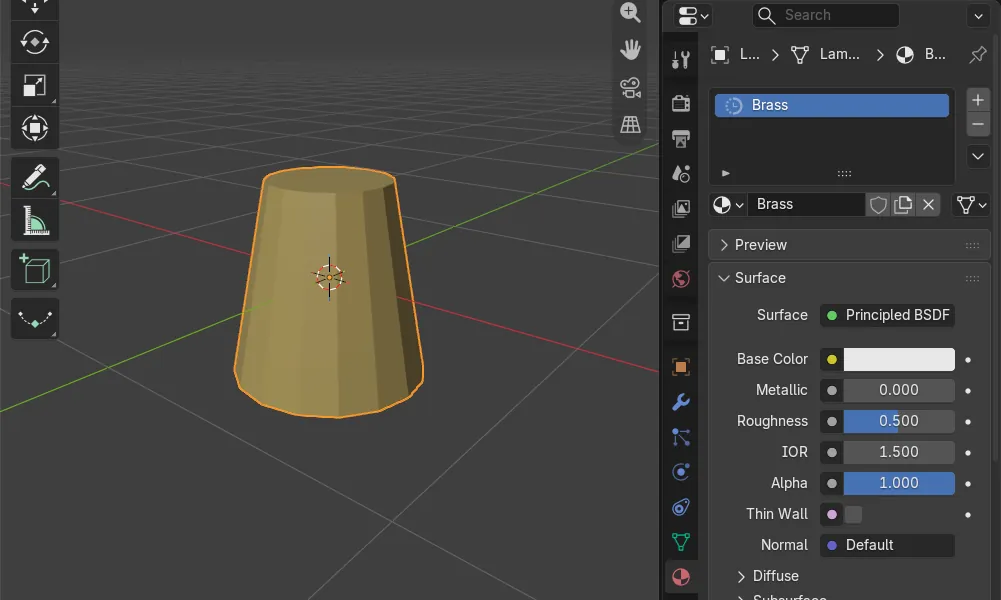
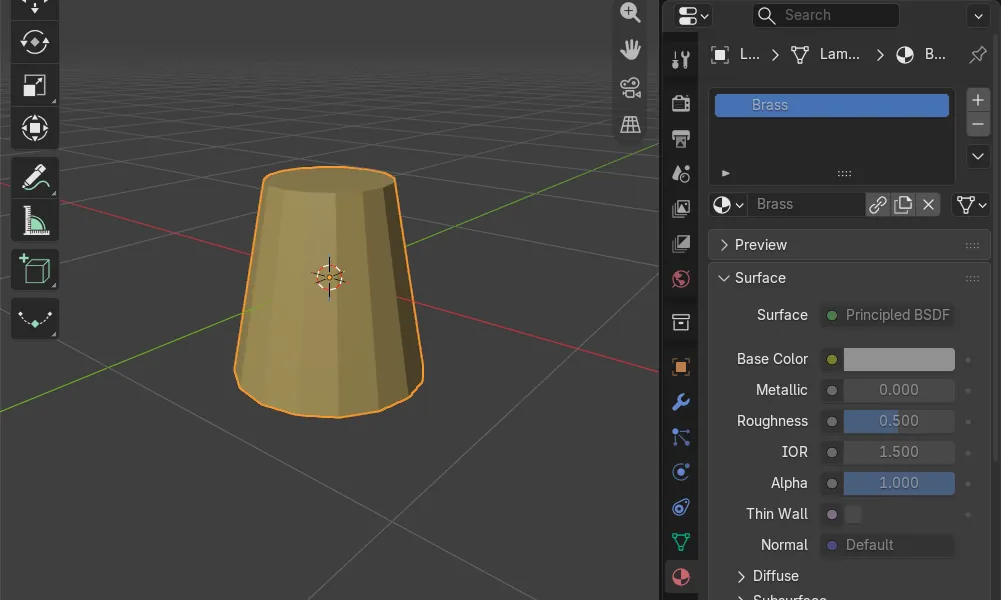
With the option off, our appended object was local, but its material stayed linked from another file and could not be edited. With it on, the material was local too.
New name in 5.4
Blender 5.3 calls the same checkbox Localize All. Blender 5.4 renamed it to Make Linked Local.
Before and after

AI Scene Builder is a Blender add-on. You type what you want, and it builds it in your scene: buildings, neon signs, wet pavement, fog and lights. Nothing in this picture was modeled by hand.
On a phone now? The add-on runs in Blender on a computer. Send yourself the link and open it there.
Step by step (Blender 5.4 Alpha)
- Open File › Append... and browse into the .blend file you want to take something from.
- Open the folder of the data you need, for example Object, and select the item.
- In the options on the right side of the file browser, make sure Make Linked Local is checked. Click the gear icon if the options are hidden.Blender 5.3: In Blender 5.3 the checkbox is named Localize All.
- Click Append. The object, its mesh and its material are now local, so you can change the material in the Material Properties.
Other ways to do it
- Already appended with the option off? Select the object and use Object › Relations › Make Local, and pick the entry that includes materials.
- If you want the material to stay linked on purpose, for example from a shared library file, keep the option off.
Blender 5.3 vs Blender 5.4 Alpha
| What | Blender 5.3 | Blender 5.4 Alpha |
|---|---|---|
| Option name | Localize All (on by default). | Make Linked Local (on by default). |
| Packed data | Linked packed data that the appended item uses is made local together with it. | Linked packed data that the appended item depends on is no longer made local, even with Make Linked Local on. |
| Release status | Blender 5.3.0 is the current stable release. | Blender 5.4 is in Alpha until February 3, 2027, so menus and behaviour may still change before the final release. |
Common snags
The material settings are greyed out after Append
The material is still linked from another .blend file. This happens when the item you appended links its material from a third file and Make Linked Local (Localize All in 5.3) was off. Append again with the option on, or use Object › Relations › Make Local.
I can't find Localize All in Blender 5.4
It was renamed to Make Linked Local. It is the same checkbox in the Append options of the file browser.
The object is local but the material shows a chain icon
The chain icon next to the material name means it is linked. Only the object was made local. Use Make Linked Local when appending so the material is copied into your file as well.
An AI add-on for Blender
AI Scene Builder is a Blender add-on that builds and edits your scene from one typed request, such as “a small wooden table with two chairs”. Each request can be undone in one click.
 An evening market street built with the add-on from 11 typed requests. See every request →
Questions
Why is my appended material still linked in Blender?
The item you appended uses a material that is linked from another .blend file, and Make Linked Local was off. In our run the object became local but its material stayed linked. Append with the option on to make the material local too.
Where is Localize All in Blender 5.4?
It is now called Make Linked Local. You find it in the options of the file browser when you use File › Append.
How do I make an already appended material editable?
Select the object and use Object › Relations › Make Local, choosing the entry that includes materials. You can also delete it and append it again with Make Linked Local on.
What the pictures show
- Tested build: Blender 5.4.0 Alpha (f9495703eb0b, 2026-11-10 build), compared with Blender 5.3.0.
- Test files: lamp_set.blend holds an object Lamp whose material Brass is linked from a second file, brass_lib.blend. We appended Lamp into a new scene with the option off and then with it on.
- 5.4 with Make Linked Local off: Lamp was local, but the material Brass was still linked, so its settings were greyed out. With the option on: Lamp, its mesh and Brass were all local and nothing was linked. The option was on by default.
- 5.3.0: the same results, with the option named Localize All.