How to Batch Rename Timeline Markers in Blender (Blender 5.3)
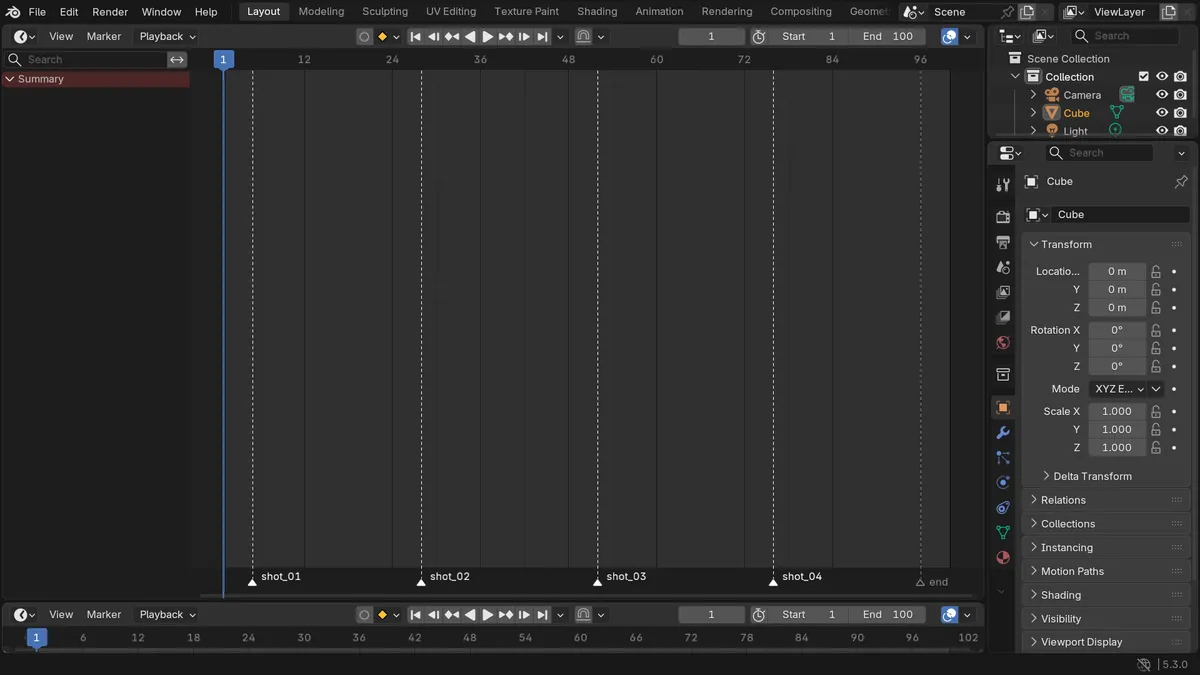
In Blender 5.3, select the markers in the Timeline, open Edit › Batch Rename (Ctrl + F2), set Data Type to Markers and Data Source to Selected, then add a Find/Replace row. With Find "shot_" and Replace "Scene " (Scene followed by a space), the markers shot_01 to shot_04 became Scene 01 to Scene 04 in one step, and none of them moved on the timeline.
- Mode
- Timeline, any mode
- Menu
- Edit › Batch Rename
- Shortcut
- Ctrl + F2
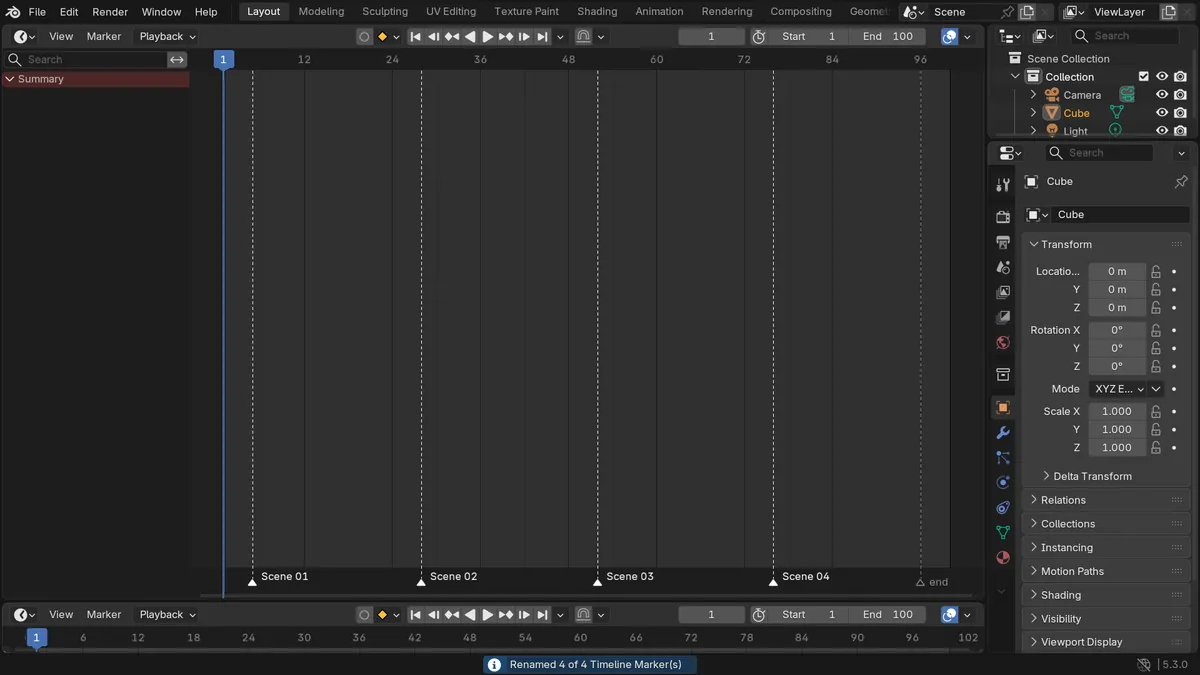
Markers in Batch Rename
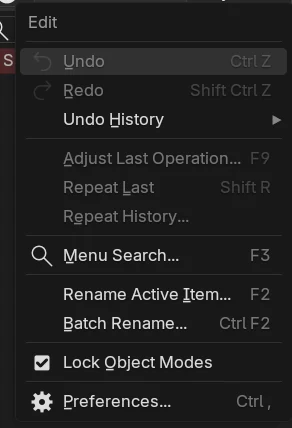
Batch Rename in the Edit menu now lists Markers as a Data Type, next to objects, bones and the other data.
Four names in one step
On a timeline with five markers, the four selected ones were renamed and the unselected marker named end kept its name.
New in 5.3
Blender 5.2 LTS has no Markers entry in Batch Rename, so markers there are renamed one at a time with F2.
Before and after

AI Scene Builder is a Blender add-on. You type what you want, and it builds it in your scene: buildings, neon signs, wet pavement, fog and lights. Nothing in this picture was modeled by hand.
On a phone now? The add-on runs in Blender on a computer. Send yourself the link and open it there.
Step by step (Blender 5.3)
- In the Timeline, select the markers you want to rename; click one and Shift-click the others, or press A with the mouse over the marker row to select them all.
- Open Edit › Batch Rename from the top bar, or press Ctrl + F2.
- Set Data Type to Markers and Data Source to Selected; choose All instead to rename every marker in the scene.
- In the row below, set the type to Find/Replace, type the part to change into Find (for example shot_) and the new text into Replace (for example Scene with a space after it).
- Add more rows with the plus button if you also want to add a prefix, change the case or strip characters; the rows run from top to bottom.
- Click OK. The markers keep their frames and their selection, so you can run Batch Rename again on the same set.
Other ways to do it
- Press F2 with the mouse over the Timeline to rename the active marker on its own
- Press M in the Timeline to add a marker at the current frame before renaming
Blender 5.2 LTS vs Blender 5.3
| What | Blender 5.2 LTS | Blender 5.3 |
|---|---|---|
| Markers in Batch Rename | Not in Blender 5.2 LTS. Batch Rename has no Markers data type, so each marker has to be renamed by itself with F2. | Blender 5.3 adds Markers to the Data Type list of Batch Rename. |
Common snags
Nothing was renamed
Data Source is set to Selected but no marker is selected. Select the markers in the Timeline first, or switch Data Source to All.
A marker you wanted to keep was renamed
Data Source is set to All. Switch it to Selected and select the markers you want to change.
The new name runs into the number
Find/Replace puts the Replace text in exactly as typed. Add a space or an underscore at the end of the Replace text if you want one between the word and the number.
An AI add-on for Blender
AI Scene Builder is a Blender add-on that builds and edits your scene from one typed request, such as “a small wooden table with two chairs”. Each request can be undone in one click.
 A lighthouse island at sunset built with the add-on from 10 typed requests. See every request →
Questions
How do I rename all markers at once in Blender?
In Blender 5.3, open Edit › Batch Rename (Ctrl + F2), set Data Type to Markers and Data Source to All, add a Find/Replace or Set Name row and click OK.
Does Batch Rename move my markers?
No. In the test every renamed marker stayed on the frame it was on, and its selection did not change.
Can I number markers with Batch Rename?
Batch Rename changes the text of the names. If the markers already end in numbers, Find/Replace keeps those numbers and changes the words around them.
What the pictures show
- Before: a timeline with five markers, shot_01, shot_02, shot_03 and shot_04 at frames 5, 28, 52 and 76 (selected) and end at frame 96 (not selected).
- After one Batch Rename with Data Type Markers, Data Source Selected and Find "shot_" / Replace "Scene " (with a space after Scene): the names were Scene 01, Scene 02, Scene 03, Scene 04 and end, still at frames 5, 28, 52, 76 and 96.
- In Blender 5.2 LTS the Data Type list of Batch Rename had no Markers entry, so the markers could not be renamed this way.