How to Make Compositor Blur Match at a Lower Render Resolution in Blender 5.4
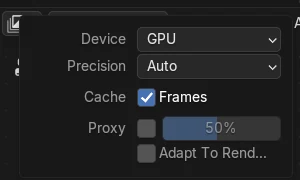
In Blender 5.4, open the compositor in the Node Editor, press N to show the Sidebar, open the Options tab and turn on Adapt To Render Scale in the Performance panel. A render at 50% Resolution Scale then looks like a smaller copy of the 100% render, instead of a zoomed-in picture with blur that is twice as wide. Blender 5.3 does not have this option.
- Mode
- Compositor (Node Editor Sidebar, Options tab)
- Menu
- Performance › Adapt To Render Scale
Where it is
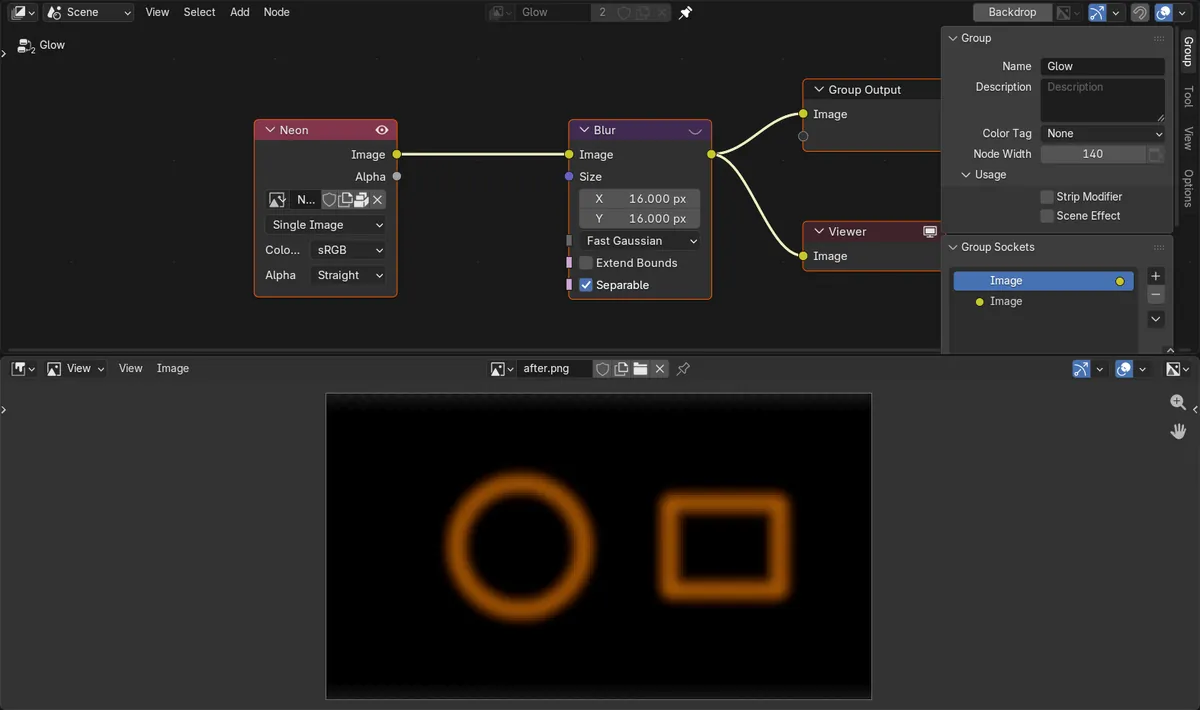
Node Editor Sidebar, Options tab, Performance panel, under Proxy: the Adapt To Render Scale checkbox.
Same look at any Resolution Scale
With the option on, pixel sizes such as the Blur Size and the pictures from Image nodes are scaled with the render, so a 50% test render matches the final 100% one.
New in 5.4
Blender 5.3 has no such option. At 50% the compositor keeps pixel sizes as they are, so blur and glare look twice as strong.
Before and after

AI Scene Builder is a Blender add-on. You type what you want, and it builds it in your scene: buildings, neon signs, wet pavement, fog and lights. Nothing in this picture was modeled by hand.
On a phone now? The add-on runs in Blender on a computer. Send yourself the link and open it there.
Step by step (Blender 5.4 Alpha)
- Open a Node Editor, switch it to the Compositor and show your compositing node tree.
- Press N to open the Sidebar of the Node Editor and click the Options tab.
- In the Performance panel, find the Proxy section and turn on Adapt To Render Scale.Blender 5.3: Blender 5.3 has no Adapt To Render Scale checkbox in the Performance panel.
- Lower Resolution Scale in the Output Properties (for example to 50%) and render with F12. The blur and the images now keep the same proportions as at 100%.
Other ways to do it
- The same checkbox is drawn in the Performance panel of the Node Editor Sidebar whenever the editor shows a compositor tree.
- Press F12 after changing Resolution Scale to compare a quick test render with the full-size result.
Blender 5.3 vs Blender 5.4 Alpha
| What | Blender 5.3 | Blender 5.4 Alpha |
|---|---|---|
| Adapt To Render Scale | Not available. A 50% render keeps every pixel size and the full-size input pictures, so the result looks zoomed in and more blurred. | A checkbox in the Performance panel that scales pixel sizes and input pictures with the Resolution Scale. |
| Release status | Blender 5.3.0 is the current stable release. | Blender 5.4 is in Alpha until February 3, 2027, so menus and behaviour may still change before the final release. |
Common snags
The 50% render looks zoomed in
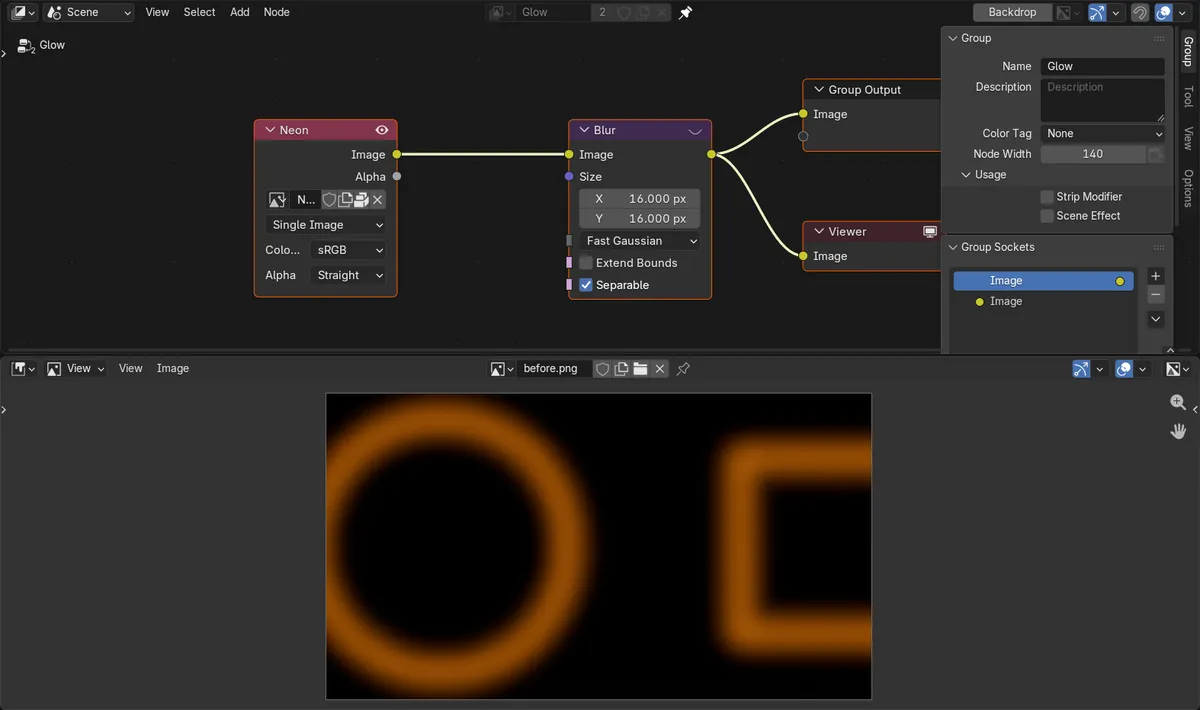
Without Adapt To Render Scale, an Image node keeps its full-size picture while the frame is half the size, so you only see part of it. Turn the option on in the Performance panel.
Blur and glow look twice as strong in test renders
Blur Size and other values in pixels stay the same at a lower Resolution Scale, so they cover more of the smaller frame. Adapt To Render Scale scales them with the render.
There is no Adapt To Render Scale checkbox
You are on Blender 5.3 or older, or the Sidebar shows a different tab. Use Blender 5.4, open the Options tab and look in the Performance panel.
An AI add-on for Blender
AI Scene Builder is a Blender add-on that builds and edits your scene from one typed request, such as “a small wooden table with two chairs”. Each request can be undone in one click.
 A lighthouse island at sunset built with the add-on from 10 typed requests. See every request →
Questions
Why does my compositor blur look stronger when I render at 50%?
The Blur Size is in pixels and does not shrink with the Resolution Scale, so it covers more of the smaller frame. In our run the glow covered 46.6% of a 50% frame against 16.5% at 100%.
How do I make the compositor match at a lower render resolution in Blender?
In Blender 5.4, turn on Adapt To Render Scale in the Performance panel of the Node Editor Sidebar. With it on, our 50% render covered 16.5% of the frame, the same as the 100% render.
Does Blender 5.3 have Adapt To Render Scale?
No. The option is new in Blender 5.4. In Blender 5.3.0 a 50% render keeps every pixel size, so blur and glare look about twice as strong.
What the pictures show
- Tested build: Blender 5.4.0 Alpha (f9495703eb0b, 2026-11-10 build), compared with Blender 5.3.0.
- Test scene: a 480 x 270 px picture with a thin orange ring and rectangle outline on black, through an Image node and a Blur node (Size 16 px, Fast Gaussian), rendered as a still image.
- 5.4 at 100%: the glow covered 16.5% of the frame. At 50% with the option off: 46.6% of a 240 x 135 px frame (2.8 times as much). At 50% with Adapt To Render Scale on: 16.5%, the same share as the full-size render.
- 5.3.0 at 50%: 45.7% of the frame against 16.2% at 100%, and the render settings have no Adapt To Render Scale option.