How to Cut Nodes in the Blender Node Editor
Select the nodes in the Node Editor and choose Node › Cut. In Blender 5.3 you can also press Ctrl + X. The selected nodes are copied to the clipboard and removed, and the nodes around them are reconnected. You can then paste them with Ctrl + V.
- Mode
- Node Editor (Shader, Compositor and other node trees)
- Menu
- Node › Cut
- Shortcut
- Ctrl + X (Blender 5.3 only)
Ctrl + X (5.3)
In Blender 5.3, cuts the selected nodes with the mouse over the Node Editor. Not bound to Cut in 5.2 LTS.
Node > Cut
Also in the right-click node context menu.
Paste later
Ctrl + V pastes the cut nodes into a node tree.
Before and after

AI Scene Builder is a Blender add-on. You type what you want, and it builds it in your scene: buildings, neon signs, wet pavement, fog and lights. Nothing in this picture was modeled by hand.
On a phone now? The add-on runs in Blender on a computer. Send yourself the link and open it there.
Step by step (Blender 5.3)
- Move the mouse over the Node Editor and click the node you want to cut. Shift-click or box select to pick several nodes.
- Choose Node › Cut from the header menu, or in Blender 5.3 press Ctrl + X.
- The nodes are removed and Blender reconnects the links that ran through them.
- To place them somewhere else, open the target node tree and press Ctrl + V, or choose Node › Paste.
Other ways to do it
- Right-click in the Node Editor and choose Cut from the context menu.
- Node › Delete with Reconnect removes nodes and reconnects without copying them. In Blender 5.3 its keys are Shift + X and Ctrl + Delete; in 5.2 LTS they are Ctrl + X and Ctrl + Delete.
- Ctrl + C copies nodes to the clipboard without removing them.
- X or Delete removes the selected nodes without copying or reconnecting.
Blender 5.2 LTS vs Blender 5.3
| What | Blender 5.2 LTS | Blender 5.3 |
|---|---|---|
| Cut (Delete with Copy and Reconnect) shortcut | Not in Blender 5.2 LTS: Cut has no default key there. Only the Node › Cut menu entry is listed. | Blender 5.3 binds Cut to Ctrl + X. |
| Ctrl + X | In Blender 5.2 LTS, Ctrl + X runs Delete with Reconnect, which removes the nodes without copying them. | In Blender 5.3, Ctrl + X cuts: it copies to the clipboard, then removes and reconnects. Delete with Reconnect uses Shift + X and Ctrl + Delete. |
Common snags
Nothing happens
The mouse is probably over another editor, or no node is selected. Hover over the Node Editor and select at least one node first.
Nothing to paste
Paste only works after a cut or copy. Cut again with Node › Cut (or Ctrl + X in Blender 5.3), then use Ctrl + V or Node › Paste in the target node tree.
Nodes vanish without copying
X, Delete and Shift + X (and Ctrl + X in Blender 5.2 LTS) remove nodes without putting them on the clipboard. Use Node › Cut, or Ctrl + X in Blender 5.3, to keep a copy.
An AI add-on for Blender
AI Scene Builder is a Blender add-on that builds and edits your scene from one typed request, such as “a small wooden table with two chairs”. Each request can be undone in one click.
 An evening market street built with the add-on from 11 typed requests. See every request →
Questions
What is the shortcut to cut nodes in Blender?
In Blender 5.3, press Ctrl + X with the mouse over the Node Editor. Blender 5.2 LTS has no key for Cut; use Node › Cut there.
Does cutting a node break the links?
No. Cut is Delete with Copy and Reconnect, so the links that ran through the cut node are reconnected.
How do I paste cut nodes?
Press Ctrl + V in the Node Editor, or choose Node › Paste.
What the pictures show
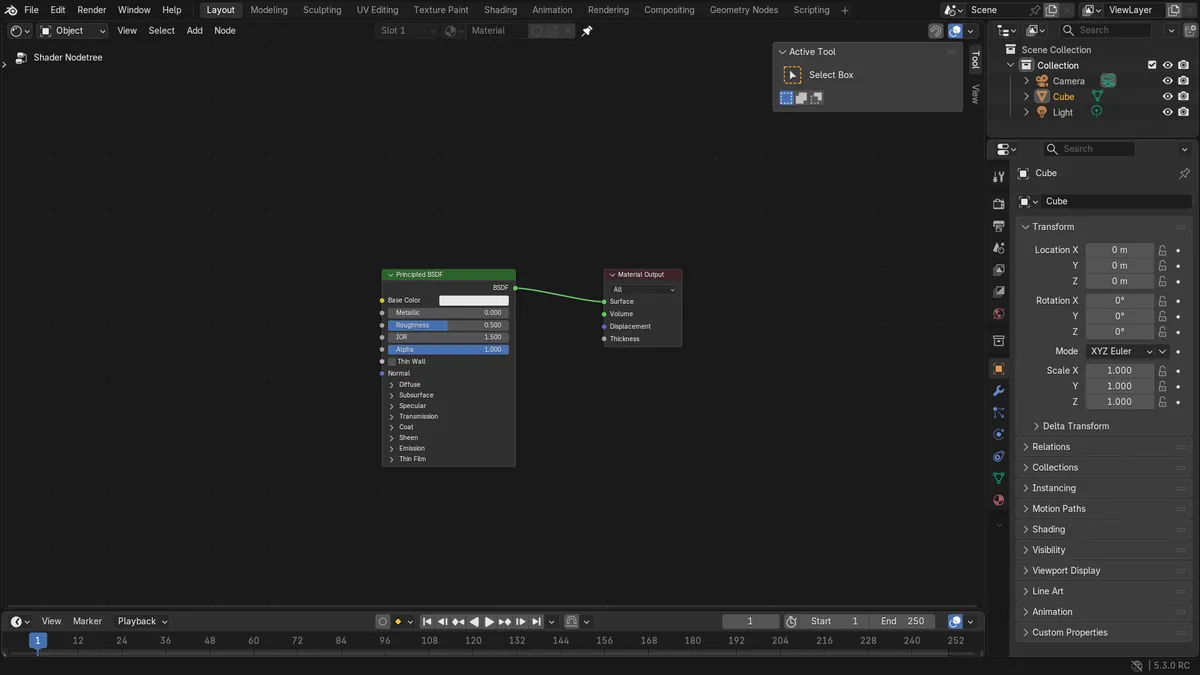
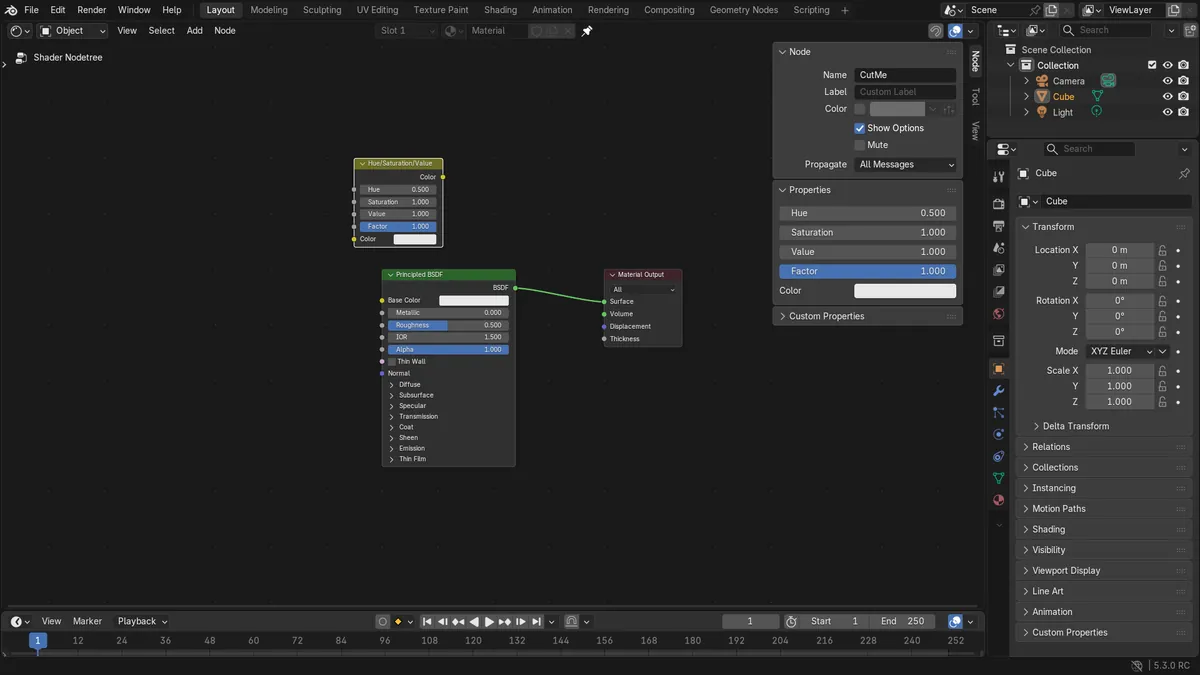
- Blender 5.3: a material had 3 nodes and 1 link with one selected node named CutMe. After the cut it had 2 nodes and 1 link, and CutMe was gone.
- Blender 5.2 LTS, Node > Cut on a node placed in a chain (color node, then CutMe, then the shader): 4 nodes and 3 links before.
- After Node > Cut and Ctrl + V there were 4 nodes and 2 links (3 before), and the pasted node was the same Hue/Saturation type.