How to Delete an Unwanted Material in Blender
Select the object, open the Material tab in the Properties editor, click the unwanted material in the slot list, then click the Remove Material Slot button (the minus icon) beside the list. The slot disappears and the object keeps its other materials.
- Mode
- Object Mode, Properties editor (Material tab)
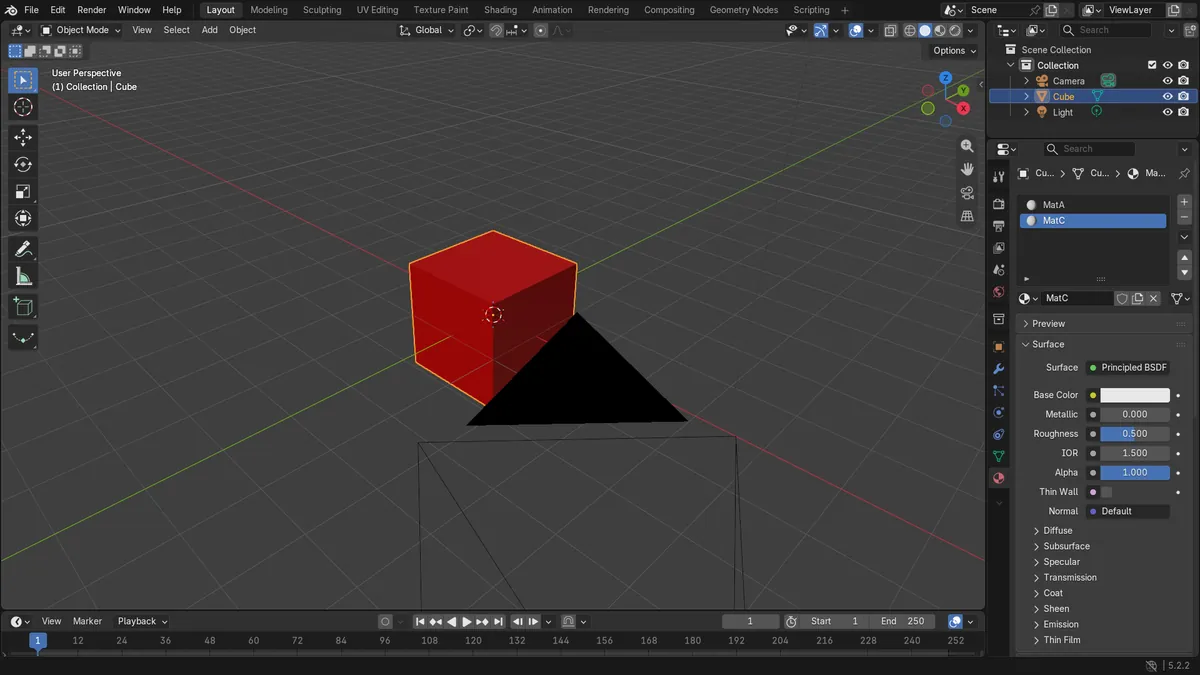
Pick the slot
Click the unwanted material in the slot list first.
Click minus
The Remove Material Slot button sits beside the list.
Others stay
Only the selected slot is removed from the object.
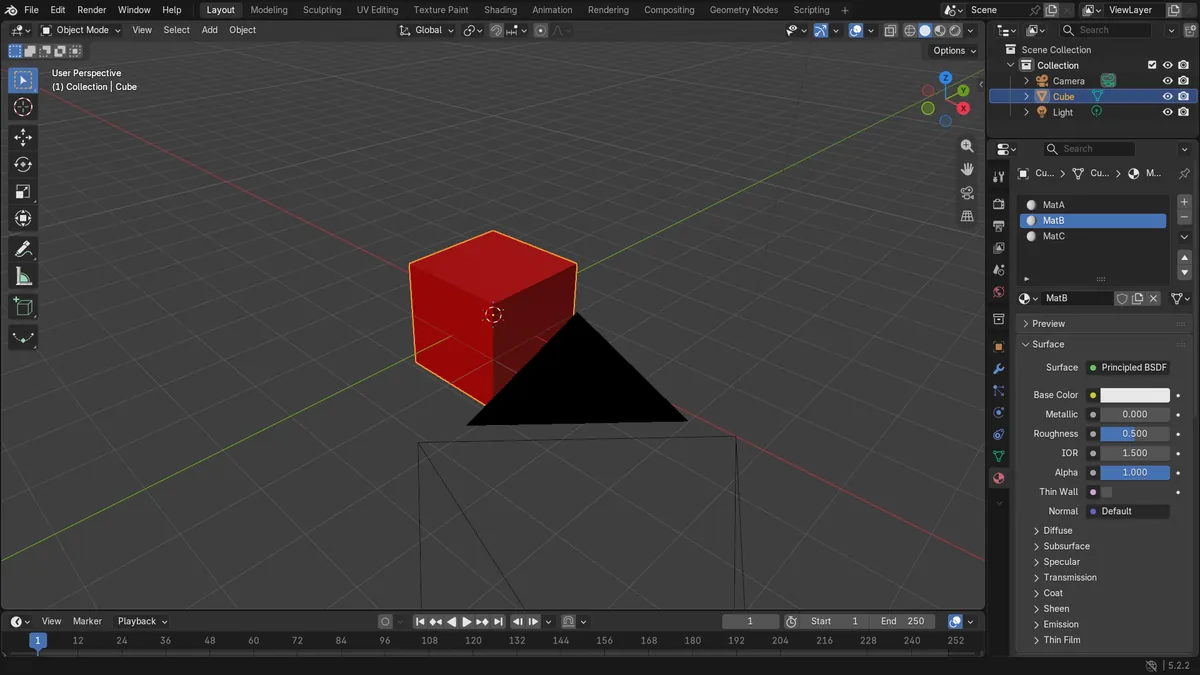
Before and after

AI Scene Builder is a Blender add-on. You type what you want, and it builds it in your scene: buildings, neon signs, wet pavement, fog and lights. Nothing in this picture was modeled by hand.
On a phone now? The add-on runs in Blender on a computer. Send yourself the link and open it there.
Step by step (Blender 5.x)
- Click the object in the 3D Viewport so it is selected and active.
- Open the Properties editor and click the Material tab.
- In the slot list, click the material you want to delete so it is highlighted.
- Click the minus button (Remove Material Slot) to the right of the list.
- Check the list: the slot is gone and the remaining materials keep their order.
Other ways to do it
- Click the small down-arrow menu (Material Specials) beside the slot list and choose Remove Unused Slots to clear every slot with no faces assigned.
- In the Node Editor header, the Slot popover has the same down-arrow menu with Remove Unused Slots.
Common snags
No Material tab
The Material tab only appears when an object that can hold materials is active. Click the object in the viewport or Outliner to make it active.
Wrong slot removed
The minus button removes the highlighted slot. Click the right material in the list before pressing it.
Or type one line in AI Scene Builder
AI Scene Builder is a Blender add-on that carries out the steps for you from one typed request. For this task, type a request like this one, using your own object names:
Remove the selected material slot from the active object A log cabin room built with the add-on from 9 typed requests. See every request →
Questions
How do I remove all unused material slots at once?
In the Material tab, click the down-arrow menu beside the slot list and choose Remove Unused Slots.
Which button deletes a material slot in Blender?
The minus button next to the slot list in the Material tab, labelled Remove Material Slot. It removes the highlighted slot.
What the pictures show
- A Cube with three slots (MatA, MatB, MatC) had the slot count go from 3 to 2.
- With MatB (slot 2) active, removing it left MatA and MatC on the Cube.
- MatB was no longer on the Cube after the removal.
- The result was identical in Blender 4.2 LTS and 5.2 LTS.