How to Keep an Object Fixed to the Camera During a Zoom in Blender (Blender 5.3)
In Blender 5.3, key the object on one frame, then click Fix to Scene Camera under World Space Transform in the sidebar's Animation tab. It now also follows the camera's Focal Length. In the test the camera zoomed from 50 mm on frame 1 to 25 mm on frame 24, and a cube keyed on frame 1 took up 12.5% of the camera frame width. After Fix to Scene Camera the cube kept that width and position on every frame up to 24. In Blender 5.2 LTS the same steps made keys, but the cube still shrank to 6.2% of the frame width by frame 24.
- Mode
- Object Mode, 3D Viewport sidebar (Animation tab)
- Shortcut
- N
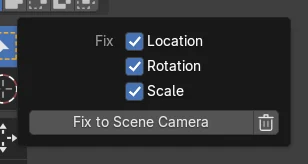
Fix to Scene Camera
The button sits in the Fix to Camera subpanel of World Space Transform, in the Animation tab of the 3D Viewport sidebar.
Holds through a zoom
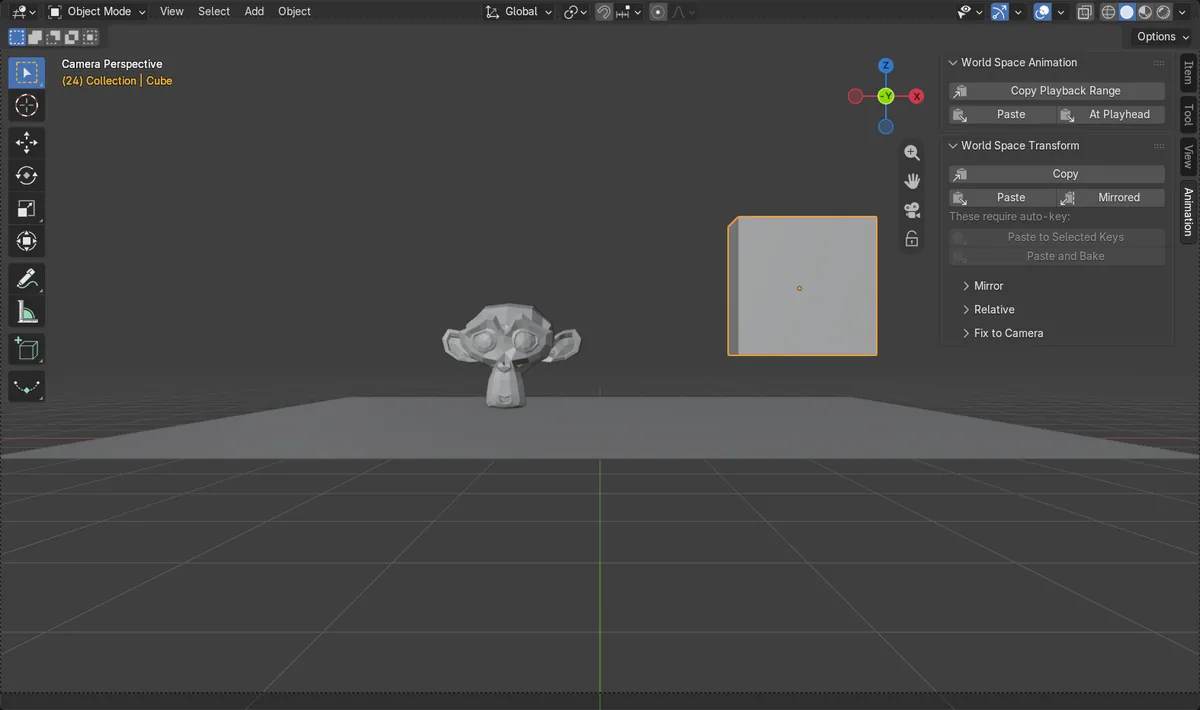
With the camera going from 50 mm to 25 mm, the cube kept 12.5% of the camera frame width on frames 1, 12 and 24.
Lens changes are new in 5.3
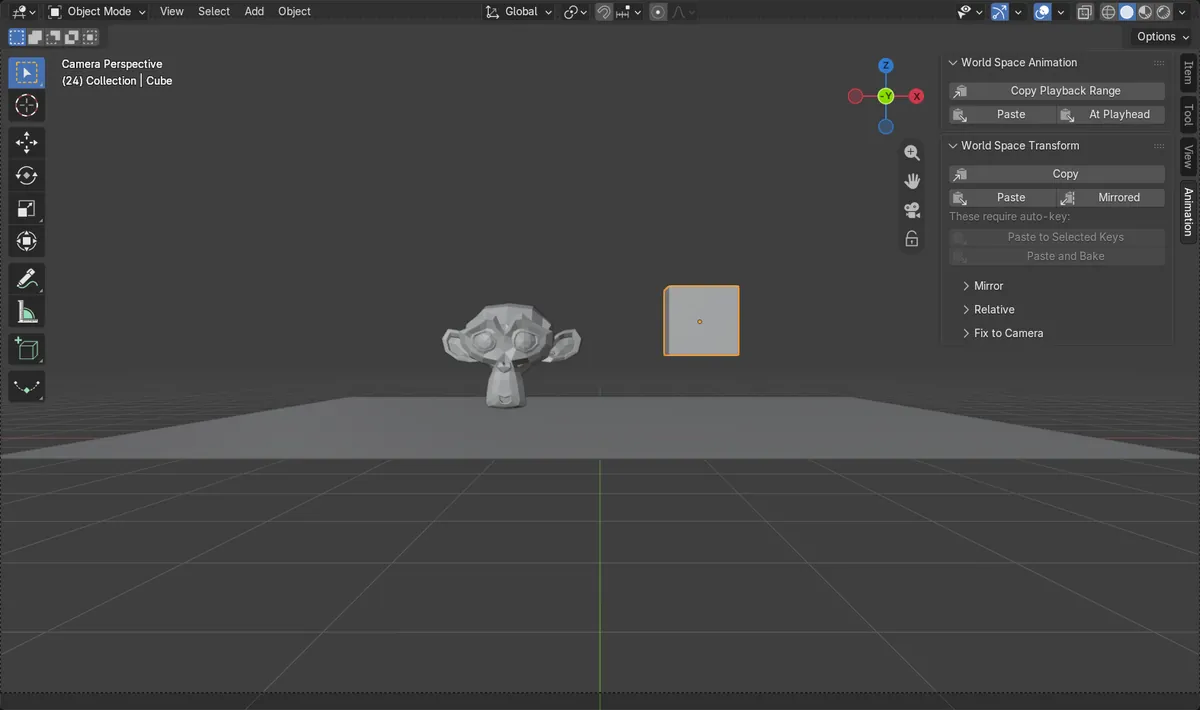
Blender 5.2 LTS follows the camera's movement but not its Focal Length, so the object shrinks or grows in frame while the camera zooms.
Before and after

AI Scene Builder is a Blender add-on. You type what you want, and it builds it in your scene: buildings, neon signs, wet pavement, fog and lights. Nothing in this picture was modeled by hand.
On a phone now? The add-on runs in Blender on a computer. Send yourself the link and open it there.
Step by step (Blender 5.3)
- Make sure the scene has a camera set as the Scene Camera, and animate its Focal Length; in the test it was keyed at 50 mm on frame 1 and 25 mm on frame 24.
- Set the scene's Start and End frames to cover the zoom (1 and 24 in the test).
- Go to the frame where the object sits where you want it in the camera view, select the object and press I to key its Location, Rotation and Scale.
- Press N in the 3D Viewport, open the Animation tab and expand World Space Transform and then its Fix to Camera subpanel.Blender 5.2 LTS: In Blender 5.2 LTS the panel is called Global Transform.
- Tick Location, Rotation and Scale next to Fix, then click Fix to Scene Camera.
- Scrub the timeline in the camera view: the object keeps its size and place in frame while the camera zooms.Blender 5.2 LTS: In Blender 5.2 LTS the keys follow the camera's movement, but the object still changes size in frame when the Focal Length changes.
Blender 5.2 LTS vs Blender 5.3
| What | Blender 5.2 LTS | Blender 5.3 |
|---|---|---|
| Focal Length in Fix to Camera | Blender 5.2 LTS fixes the object to the camera's position and rotation. Changes of the camera lens are not followed. | Blender 5.3 also follows the camera's lens settings, so an object stays the same size in frame during a zoom. |
| Panel name | In Blender 5.2 LTS the panel in the Animation tab is called Global Transform. | In Blender 5.3 the panel is called World Space Transform. |
Common snags
No keys were added
Fix to Scene Camera makes keys on the frames that have none, using the keys the object already has. Key Location, Rotation and Scale with I on the frame where the object is placed right, then run it again.
The object still drifts on some frames
Keys are made within the scene's Start and End frames. Set them to cover the whole camera move, and make sure the camera you animated is the Scene Camera.
A warning about a keying set appears
An active keying set limits which channels get keys, so Location, Rotation or Scale may be left out. Clear the active keying set, or include those channels in it.
Parenting to the camera did not keep the size
Parenting the object to the camera follows the camera's movement, but the object still changes size in frame when the Focal Length changes. Use Fix to Scene Camera for a zoom.
An AI add-on for Blender
AI Scene Builder is a Blender add-on that builds and edits your scene from one typed request, such as “a small wooden table with two chairs”. Each request can be undone in one click.
 A lighthouse island at sunset built with the add-on from 10 typed requests. See every request →
Questions
How do I stop an object from changing size when the camera zooms in Blender?
In Blender 5.3, key the object on one frame, then use Fix to Scene Camera in the sidebar's Animation tab under World Space Transform. It now also follows the camera's Focal Length.
Can I undo Fix to Scene Camera?
Yes. Click the trash button next to it to run Delete Generated Keys, which removes the keys that Fix to Scene Camera made.
Does Fix to Scene Camera work on bones?
Yes. It fixes the selected object or bone to the camera on frames that have no keys.
What the pictures show
- Setup: scene frames 1 to 24, camera Focal Length keyed at 50 mm on frame 1 and 25 mm on frame 24, and a cube keyed on frame 1 at 12.5% of the camera frame width. Without the fix it measured 9.6% on frame 12 and 6.2% on frame 24.
- After Fix to Scene Camera with Location, Rotation and Scale ticked in Blender 5.3: keys on all 24 frames, and the cube measured 12.5% of the frame width in the same spot on frames 12 and 24.
- In Blender 5.2 LTS the same steps also made keys on all 24 frames, but the cube still measured 6.2% of the frame width on frame 24.