How to Focus on the Selected Object in Blender
Select the object, move the mouse over the 3D Viewport and press Numpad . (period). You can also choose View › Frame Selected from the viewport header. The view moves to the selected object and zooms in on it.
- Mode
- 3D Viewport (any mode)
- Menu
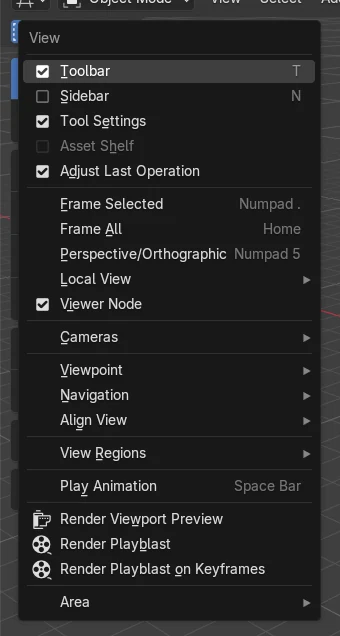
- View › Frame Selected
- Shortcut
- Numpad . (period)
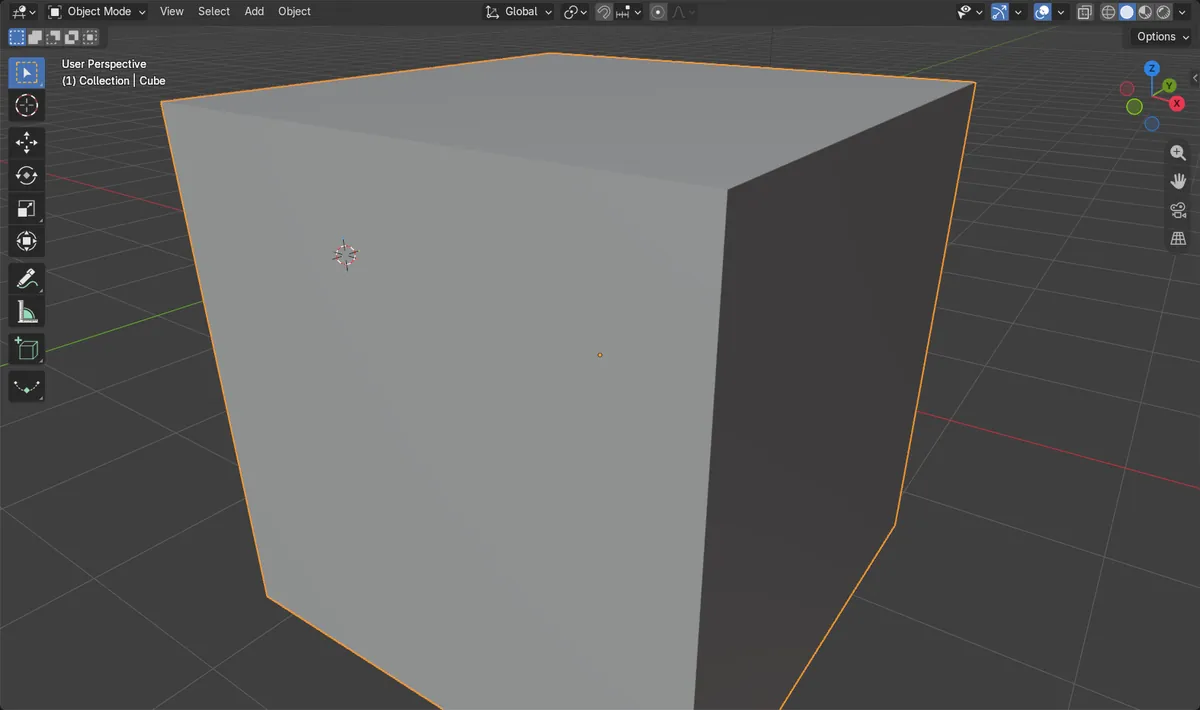
Numpad . (period)
Frames the selection with the mouse over the 3D Viewport.
View > Frame Selected
Same result from the viewport header, no numpad needed.
Selection stays
Only the view moves. The object is not changed.
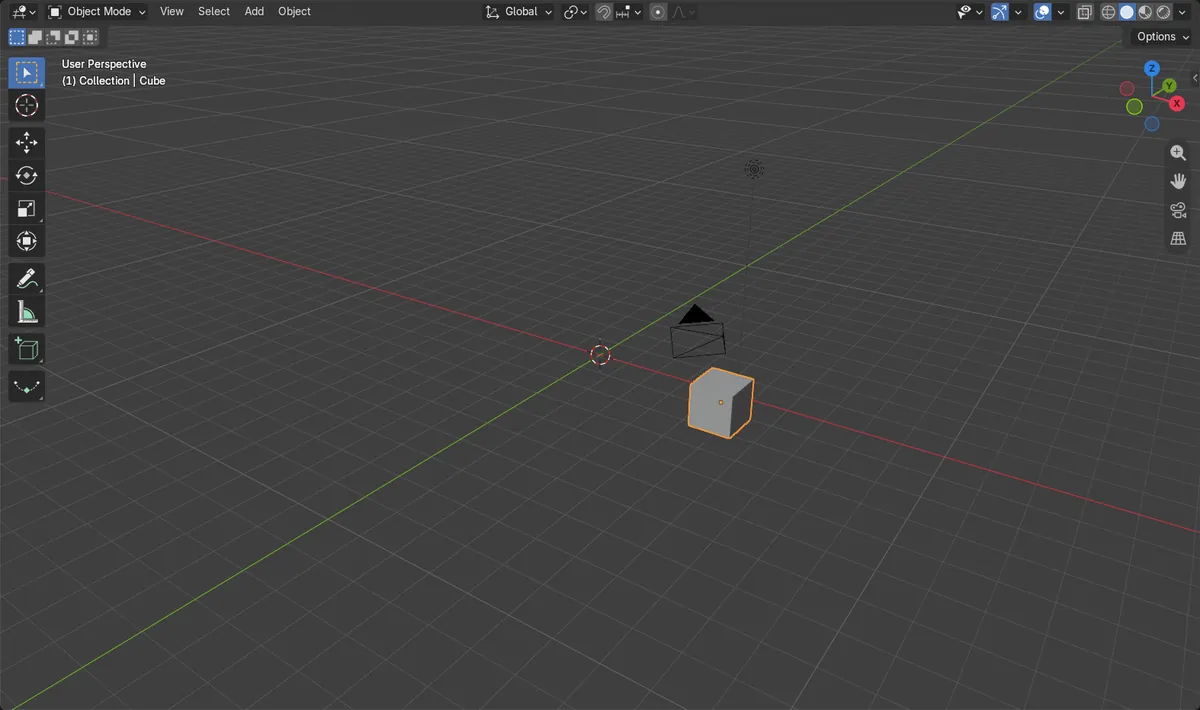
Before and after

AI Scene Builder is a Blender add-on. You type what you want, and it builds it in your scene: buildings, neon signs, wet pavement, fog and lights. Nothing in this picture was modeled by hand.
On a phone now? The add-on runs in Blender on a computer. Send yourself the link and open it there.
Step by step (Blender 5.x)
- Click the object in the 3D Viewport so it is selected.
- Keep the mouse pointer over the 3D Viewport.
- Press Numpad . (period), or open View › Frame Selected in the viewport header.
- The view animates to the object and zooms in so it fills the viewport.
- To frame everything in the scene instead, press Home or use View › Frame All.
Other ways to do it
- View › Frame Selected (menu in the 3D Viewport header)
- View › Frame Selected (Quad View) frames the selection in all four views of Quad View; shortcut Ctrl + Numpad . (period)
- View Selected in the View pie menu
- Mouse Back button (mouse button 4) in the 3D Viewport (Blender 5.x)
- View › Local View (Numpad /) shows only the selected object, centered in the view
- Home or View › Frame All shows every object in the scene
Blender 4.2 LTS vs Blender 5.x
| What | Blender 4.2 LTS | Blender 5.x |
|---|---|---|
| Mouse Back button (mouse button 4) | Not bound to Frame Selected by default. | Frame Selected is also bound to the Mouse Back button (mouse button 4) in the 3D Viewport. |
Common snags
Nothing happens
The pointer is probably over another editor, or no object is selected. Click the object, then move the mouse over the 3D Viewport and try again.
No numpad on a laptop
Use View › Frame Selected instead. Or turn on Emulate Numpad in Edit › Preferences › Input so the number row keys act as numpad keys.
View jumps slowly
The view animates by default over 200 ms. This is set by Smooth View in the Preferences, where zero turns the animation off.
Or type one line in AI Scene Builder
AI Scene Builder is a Blender add-on that carries out the steps for you from one typed request. For this task, type a request like this one, using your own object names:
Frame the selected object in the viewport A log cabin room built with the add-on from 9 typed requests. See every request →
Questions
What is the shortcut to focus on the selected object in Blender?
Press Numpad . (period) with the mouse over the 3D Viewport. Ctrl + Numpad . (period) frames the selection in all views of Quad View.
How do I focus on an object without a numpad?
Use View › Frame Selected in the 3D Viewport header. You can also enable Emulate Numpad in Edit › Preferences › Input.
How do I zoom out to see the whole scene again?
Press Home or choose View › Frame All.
What the pictures show
- The view center moved from (0, 0, 0) to the cube at (6, -4, 2) m, about 7.5 m away before and 0 m after.
- The view distance dropped from 25 m to about 1.6 m, so the view zoomed in.
- The cube stayed selected.