How to Insert a Keyframe in Blender
Select the object, hover the mouse over the 3D Viewport and press I. You can also use Object › Animation › Insert Keyframe. Blender adds a keyframe at the current frame for the channels set in your preferences (by default Location, Rotation, Scale and Custom Properties).
- Mode
- Object Mode, 3D Viewport
- Menu
- Object › Animation › Insert Keyframe
- Shortcut
- I
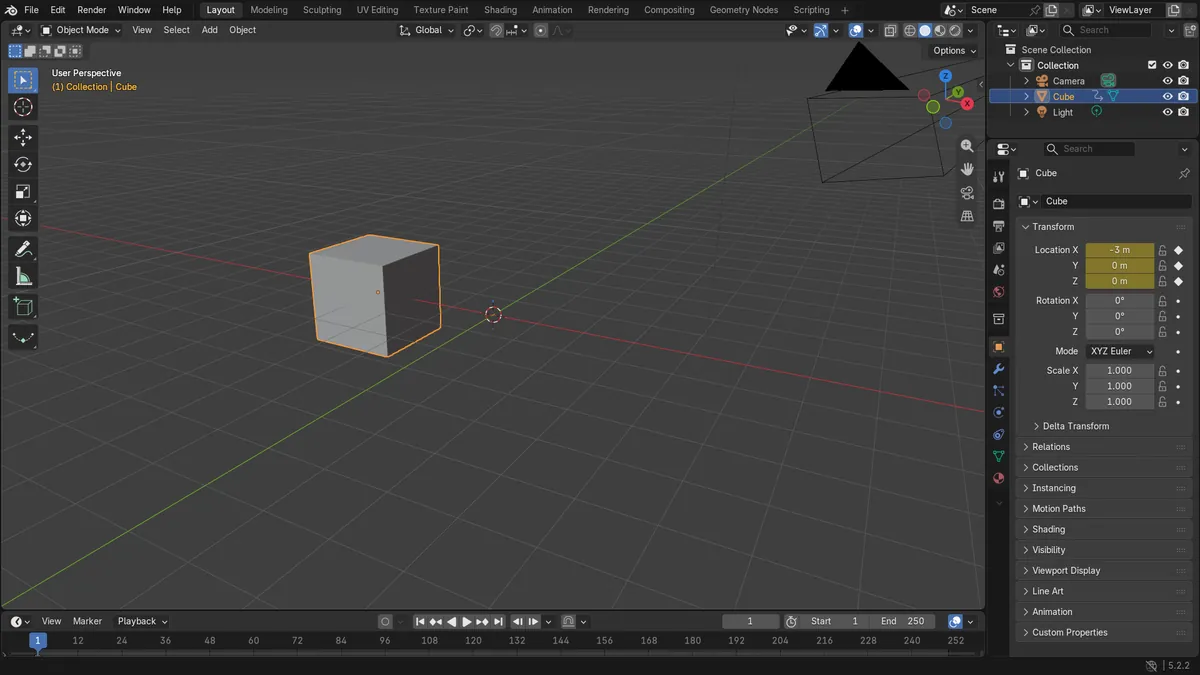
Press I
Inserts a keyframe on the selected object at the current frame.
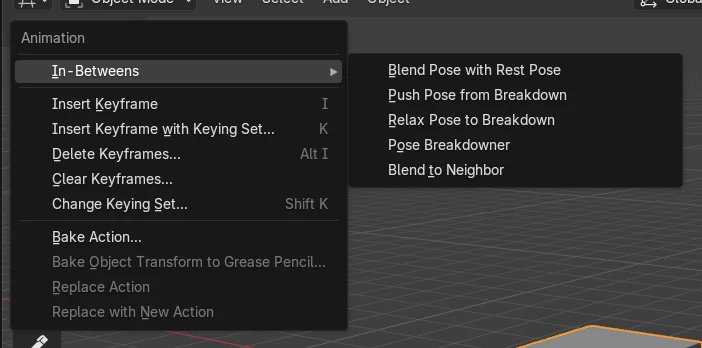
Object > Animation
Menu route: Insert Keyframe.
Keying set choice
Press K to pick a keying set first.
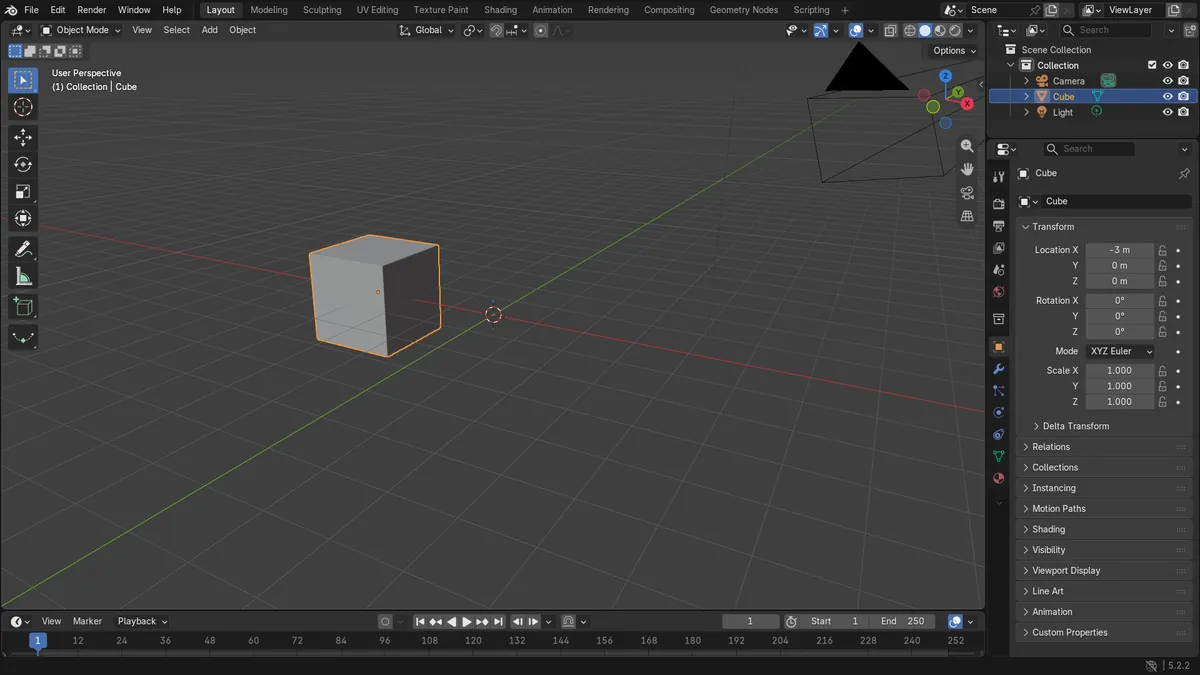
Before and after

AI Scene Builder is a Blender add-on. You type what you want, and it builds it in your scene: buildings, neon signs, wet pavement, fog and lights. Nothing in this picture was modeled by hand.
On a phone now? The add-on runs in Blender on a computer. Send yourself the link and open it there.
Step by step (Blender 5.x)
- Click the object in the 3D Viewport to select it (for example the Cube).
- Set the current frame, for example frame 1, using the Current Frame field in the Playhead panel of the Dope Sheet header or by moving the playhead.Blender 4.2 LTS: In Blender 4.2 LTS the Current Frame field is not drawn in the Dope Sheet header panel; move the playhead instead.
- Place the mouse pointer over the 3D Viewport and press I. Alternatively choose Object › Animation › Insert Keyframe.
- To choose which properties get keyed, press K instead (or Object › Animation › Insert Keyframe with Keying Set...) and pick a keying set from the menu.Blender 4.2 LTS: In Blender 4.2 LTS the menu item is labelled Insert Keyframe with Keying Set, without the dots.
Other ways to do it
- Object › Animation › Insert Keyframe in the 3D Viewport header
- Right-click menu in the 3D Viewport: Insert Keyframe
- K: Insert Keyframe with Keying Set menu (also in right-click menu)
Blender 4.2 LTS vs Blender 5.x
| What | Blender 4.2 LTS | Blender 5.x |
|---|---|---|
| Menu item label with keying set | Insert Keyframe with Keying Set | Insert Keyframe with Keying Set... |
| Auto Keying button and Current Frame field | Not found in the Dope Sheet header panel | Shown in the Playhead panel of the Dope Sheet header |
Common snags
Mouse over the wrong editor
Pressing I does nothing useful if the pointer is over another editor. Move the pointer over the 3D Viewport and press I again.
Nothing selected
Without a selected object there is nothing to key. Click the object first so it is highlighted.
Unexpected channels keyed
Blender keys the channels set in Preferences › Animation › Keyframes › Default Key Channels. Change them there, or press K to choose a keying set.
Or type one line in AI Scene Builder
AI Scene Builder is a Blender add-on that carries out the steps for you from one typed request. For this task, type a request like this one, using your own object names:
Insert a location keyframe on the selected object at the current frame An evening market street built with the add-on from 11 typed requests. See every request →
Questions
What is the shortcut to insert a keyframe in Blender?
Hover over the 3D Viewport and press I. Press K to choose a keying set first.
Which properties does the I key keyframe?
Without an active keying set, it uses Default Key Channels in Preferences › Animation › Keyframes: Location, Rotation, Scale and Custom Properties by default.
What the pictures show
- Before: the Cube at X = -3 m had no animation data (0 F-curves, 0 keyframes).
- After inserting a Location keyframe at frame 1: an action exists with 3 F-curves (Location X, Y, Z) and 3 keyframes.
- The cube stayed at (-3, 0, 0) m on frame 1, since keying records the current value.