How do I make multiple Blender objects into one?
Select all the mesh objects you want to combine, with the one you want to keep selected last so it is active, then press Ctrl + J in the 3D Viewport. You can also choose Object › Join. The selected objects are merged into the active object and the others disappear.
- Mode
- Object Mode
- Menu
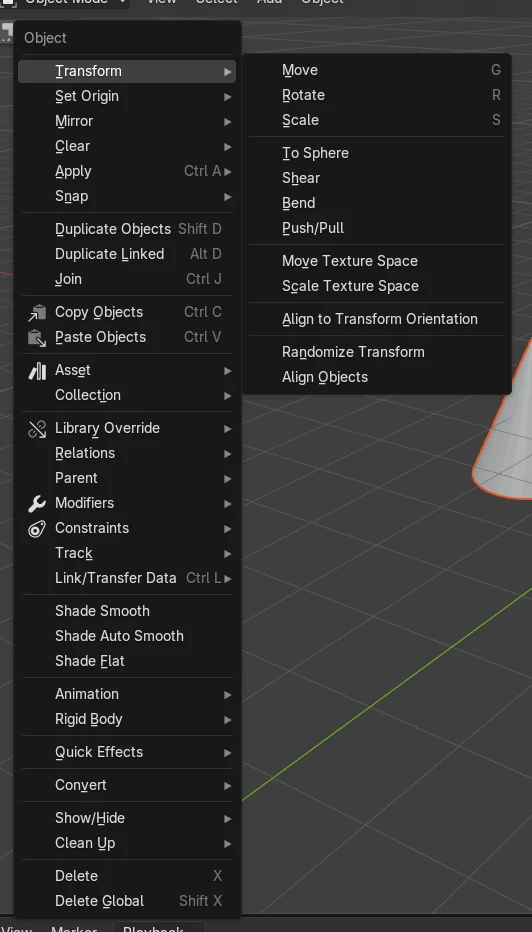
- Object › Join
- Shortcut
- Ctrl + J
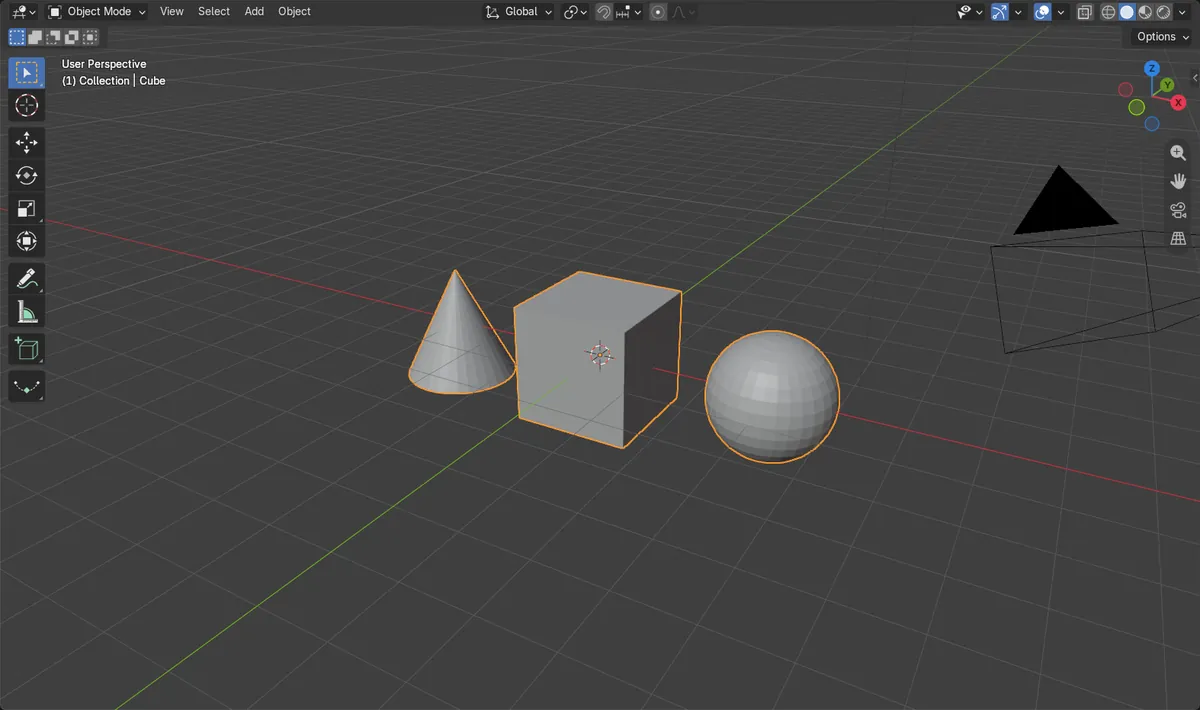
Press Ctrl + J
Joins all selected objects into the active one.
Object > Join
The same command from the 3D Viewport menu.
Active object stays
The active object keeps its name; the others are removed.
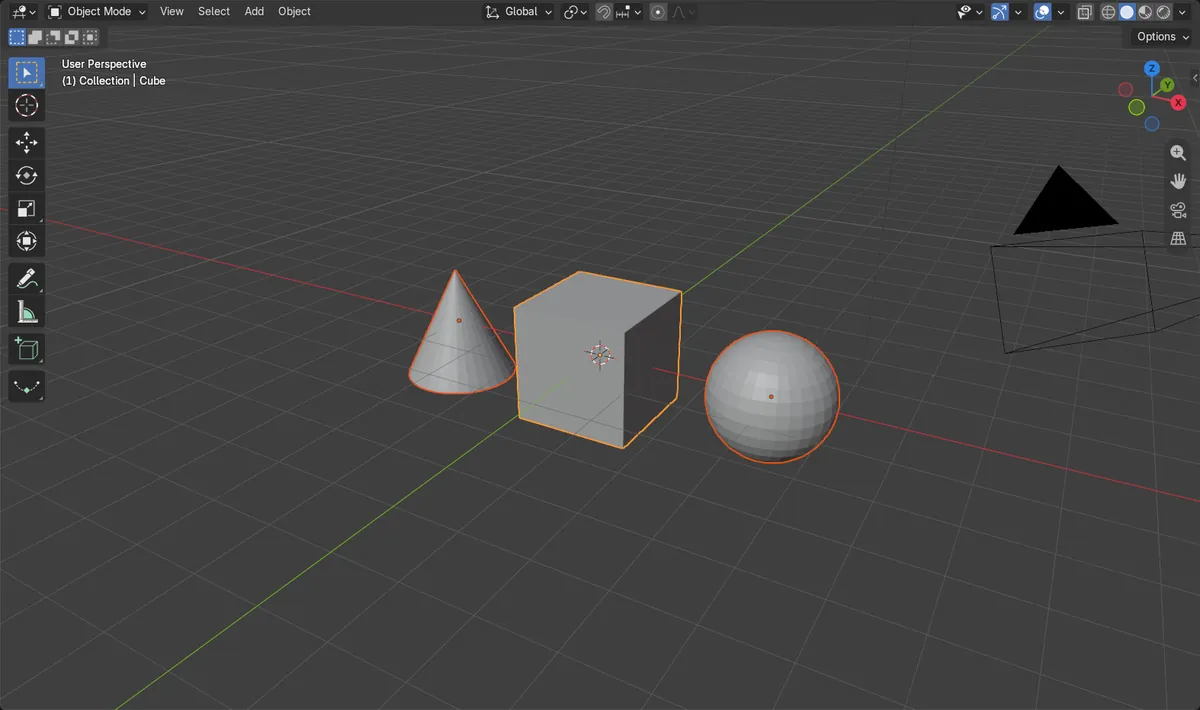
Before and after

AI Scene Builder is a Blender add-on. You type what you want, and it builds it in your scene: buildings, neon signs, wet pavement, fog and lights. Nothing in this picture was modeled by hand.
On a phone now? The add-on runs in Blender on a computer. Send yourself the link and open it there.
Step by step (Blender 5.x)
- Make sure you are in Object Mode (not Edit Mode).
- Click the first object, then Shift + click each other object you want to merge.
- Shift + click the object you want to keep last, so it is the active (lighter outline) object.
- With the mouse over the 3D Viewport, press Ctrl + J, or choose Object › Join.
- Check the Outliner: only the active object remains, now containing the geometry of all the others.
Other ways to do it
- Right-click in the 3D Viewport in Object Mode and choose Join from the Object context menu.
- Select everything with A (Select › All), then press Ctrl + J.
Common snags
Join is greyed out or does nothing
You are probably in Edit Mode, or the mouse is over another editor. Switch to Object Mode and hover over the 3D Viewport before pressing Ctrl + J.
Wrong name or origin kept
The result takes the active object, not the first one you clicked. Undo, then Shift + click the object you want to keep last so it becomes active, and join again.
Only one object selected
Join needs at least two selected mesh objects. Use Select › All or Shift + click to add more to the selection.
Or type one line in AI Scene Builder
AI Scene Builder is a Blender add-on that carries out the steps for you from one typed request. For this task, type a request like this one, using your own object names:
Join the selected Cube, Sphere and Cone into one object An evening market street built with the add-on from 11 typed requests. See every request →
Questions
How do I join objects in Blender with a shortcut?
Select the objects in Object Mode, make sure the one to keep is active, and press Ctrl + J with the mouse over the 3D Viewport.
How do I split a joined object apart again?
Enter Edit Mode, select the geometry you want to detach, and use the Separate command (mesh.separate, labelled Separate) to move it into a new mesh.
Is parenting the same as joining?
No. Make Parent (Object › Parent) keeps the objects separate but links them so they move together, while Join merges them into one mesh.
What the pictures show
- Before joining: 3 mesh objects (Cube, Sphere, Cone) were selected, with 523 vertices in total.
- After joining: 1 mesh object remained, still with 523 vertices, so no geometry was lost.
- The Sphere and Cone objects no longer existed, and the result was the Cube, which was the active object.
- The same result was seen in Blender 4.2 LTS and Blender 5.x.