How to Move an Object in Blender (G Key)
In Object Mode select the object, hover the 3D Viewport, press G and move the mouse. Type X, Y or Z to move along one axis only, type a number such as 3 for 3 m, and confirm with Enter or a left-click. Esc or right-click cancels and puts it back. Moving changes only the location, not the size.
- Mode
- Object Mode, 3D Viewport
- Menu
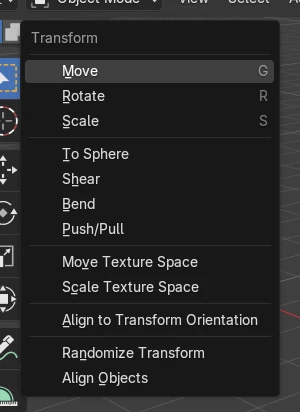
- Object › Transform › Move
- Shortcut
- G
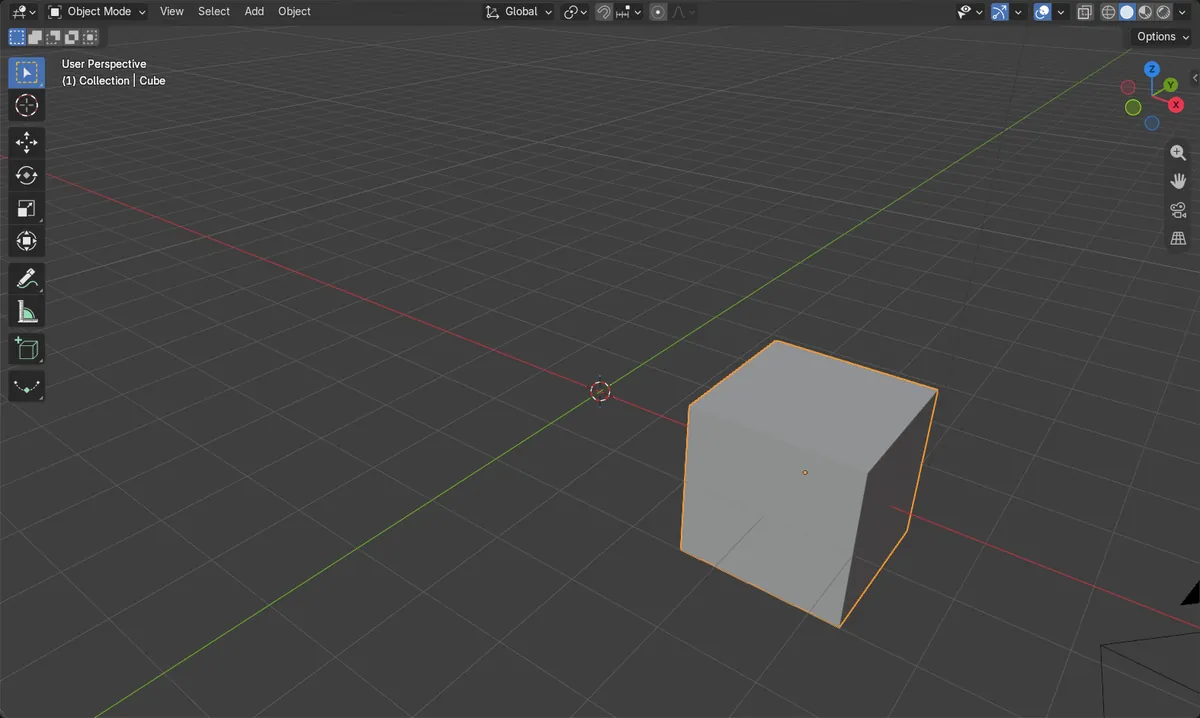
G
Starts moving the selected object with the mouse.
X, Y or Z
Locks the move to one axis; type a number for an exact distance.
Esc or right-click
Cancels the move and puts the object back.
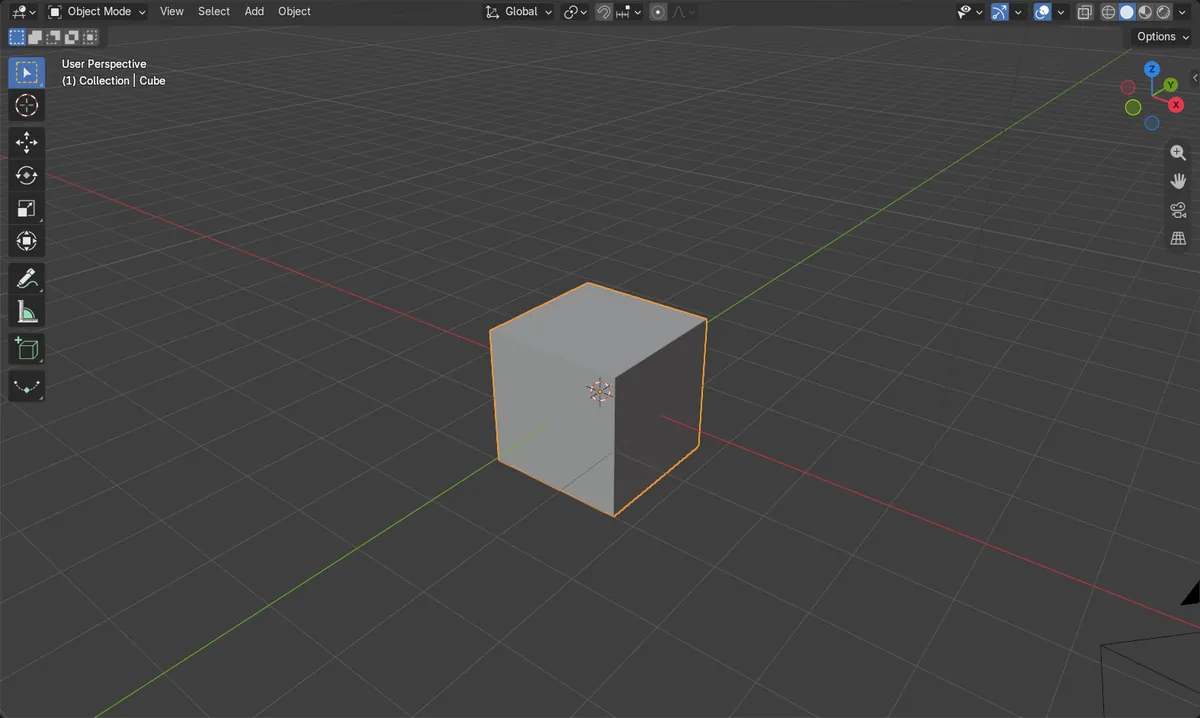
Before and after

AI Scene Builder is a Blender add-on. You type what you want, and it builds it in your scene: buildings, neon signs, wet pavement, fog and lights. Nothing in this picture was modeled by hand.
On a phone now? The add-on runs in Blender on a computer. Send yourself the link and open it there.
Step by step (Blender 5.x)
- Click the object in Object Mode to select it.
- Hover the 3D Viewport and press G. The object follows the mouse.
- Type X, Y or Z to lock the move to that axis. Holding Shift with Z locks the height and moves on the other two axes.
- Type a distance, for example 3, and confirm with Enter or a left-click.
- To cancel while moving, press Esc or right-click. Later, Alt + G sets the location back to 0, 0, 0.
Other ways to do it
- Type exact values in Location in the Object Properties tab, Transform panel
- Object › Clear › Location (Alt + G) to return to 0, 0, 0
- While moving, press R or S to switch to rotate or scale
Common snags
The object flies far away
Small mouse moves are often large in the scene. Lock an axis with X, Y or Z and type the distance, or press Esc and start again.
G moves vertices instead of the object
You are in Edit Mode, where G moves the selected vertices. Press Tab to go back to Object Mode.
Pressing G does nothing
The mouse must be over the 3D Viewport and an object must be selected.
An AI add-on for Blender
AI Scene Builder is a Blender add-on that builds and edits your scene from one typed request, such as “a small wooden table with two chairs”. Each request can be undone in one click.
 A lighthouse island at sunset built with the add-on from 10 typed requests. See every request →
Questions
How do I move an object by an exact amount in Blender?
Press G, type X, Y or Z, type the distance and confirm with Enter. For example G, X, 3 moves it 3 m along X.
How do I move an object back to the center?
Press Alt + G (Object › Clear › Location) to set its location to 0, 0, 0.
Why does G move vertices instead of the whole object?
You are in Edit Mode. Press Tab to return to Object Mode.
What the pictures show
- Before: the cube sat at (0, 0, 0), 2 m on each side.
- G, X, 3 moved it to (3, 0, 0); its size stayed 2 x 2 x 2 m.
- While moving, X, Y and Z locked an axis, Shift + X and Shift + Z locked a plane, and Esc or right-click cancelled.
- Results were identical in Blender 4.2 LTS and Blender 5.x.