How to Move an Object to Another Collection in Blender
Select the object in Object Mode, press M and click the collection it should go to: the object is taken out of its old collection and placed in the new one. Choose New Collection in the same list to create one on the spot. Shift + M links the object to an extra collection while keeping it where it was.
- Mode
- Object Mode, 3D Viewport
- Menu
- Object › Collection › Move to Collection
- Shortcut
- M
M moves
Takes the object out of its old collection and puts it in the one you click.
Shift + M links
Adds the object to a second collection and keeps the first.
Drag in the Outliner
Dragging the object onto a collection moves it as well.
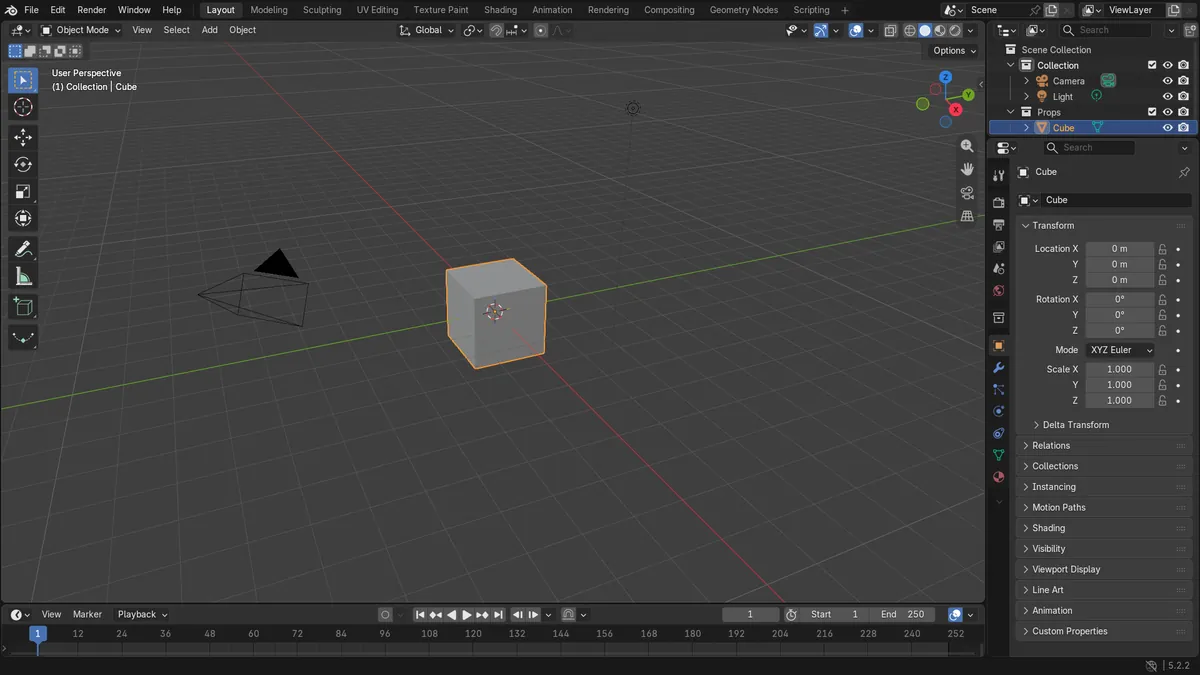
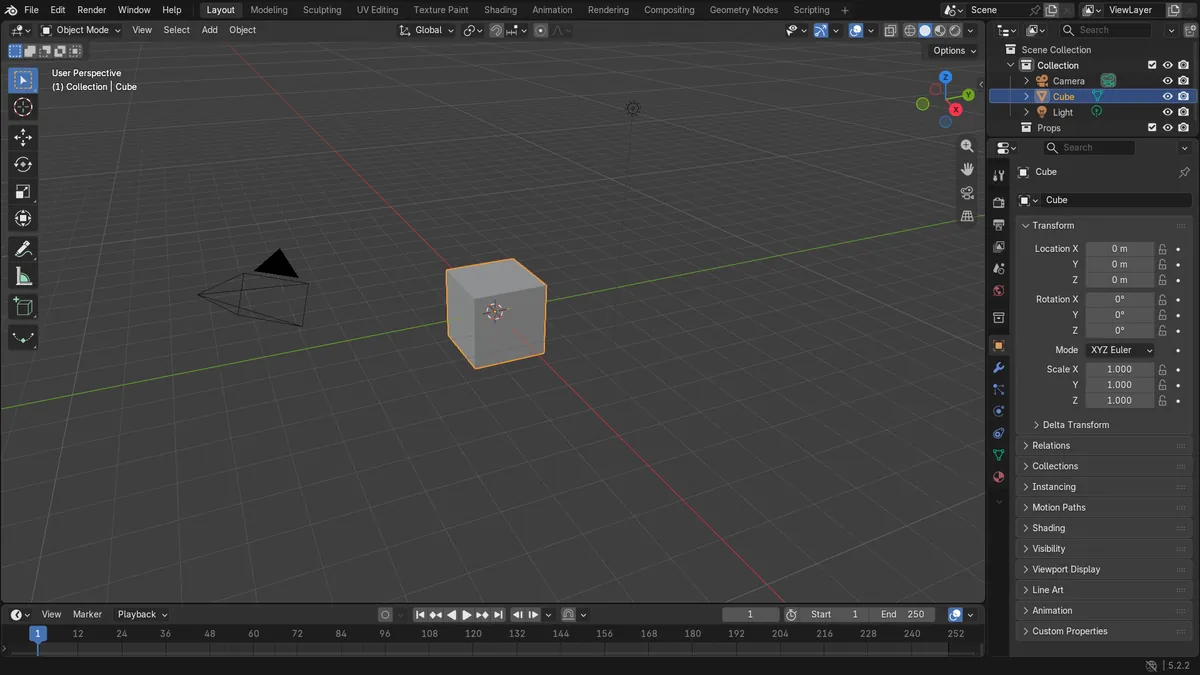
Before and after

AI Scene Builder is a Blender add-on. You type what you want, and it builds it in your scene: buildings, neon signs, wet pavement, fog and lights. Nothing in this picture was modeled by hand.
On a phone now? The add-on runs in Blender on a computer. Send yourself the link and open it there.
Step by step (Blender 5.x)
- In Object Mode, click the object you want to move. Shift-click to add more objects.
- With the mouse over the 3D Viewport, press M.
- Click the target collection in the list. Nested collections open as submenus.
- Or choose New Collection, type a name and confirm to create a collection and move the object into it.
- Check the Outliner: the object is now listed under the new collection only.
Other ways to do it
- Object › Collection › Move to Collection in the 3D Viewport header
- Drag the object onto a collection in the Outliner
Common snags
The object is now in two collections
Link to Collection (Shift + M) was used. Press M and pick one collection to keep it in a single place.
M did nothing
The mouse was over another editor or you are in Edit Mode, where M merges vertices. Press Tab to leave Edit Mode, hover the 3D Viewport and try again.
The object disappeared
The target collection is hidden or excluded from the view layer. Turn its eye icon or checkbox back on in the Outliner.
An AI add-on for Blender
AI Scene Builder is a Blender add-on that builds and edits your scene from one typed request, such as “a small wooden table with two chairs”. Each request can be undone in one click.
 A log cabin room built with the add-on from 9 typed requests. See every request →
Questions
How do I move an object to a different collection in Blender?
Select it in Object Mode, press M and click the target collection.
How do I put an object in two collections?
Press Shift + M and pick the second collection. The object then appears in both.
How do I make a new collection from selected objects?
Press M and choose New Collection, then type a name. The selected objects move into it.
What the pictures show
- Before: the cube was only in the collection named Collection, and Props was empty.
- After Move to Collection: the cube is only in Props.
- Results were identical in Blender 4.2 LTS and Blender 5.x.