How to Use Proportional Editing in Blender
In Edit Mode, press O (or click the Proportional Editing button in the 3D Viewport header) and then move, rotate or scale a selection as usual. Nearby vertices follow with a smooth falloff; press Page Up or Page Down while moving to change the size of the affected area. Press Shift + O to choose a different falloff shape.
- Mode
- Edit Mode (O also works in Object Mode for objects)
- Shortcut
- O
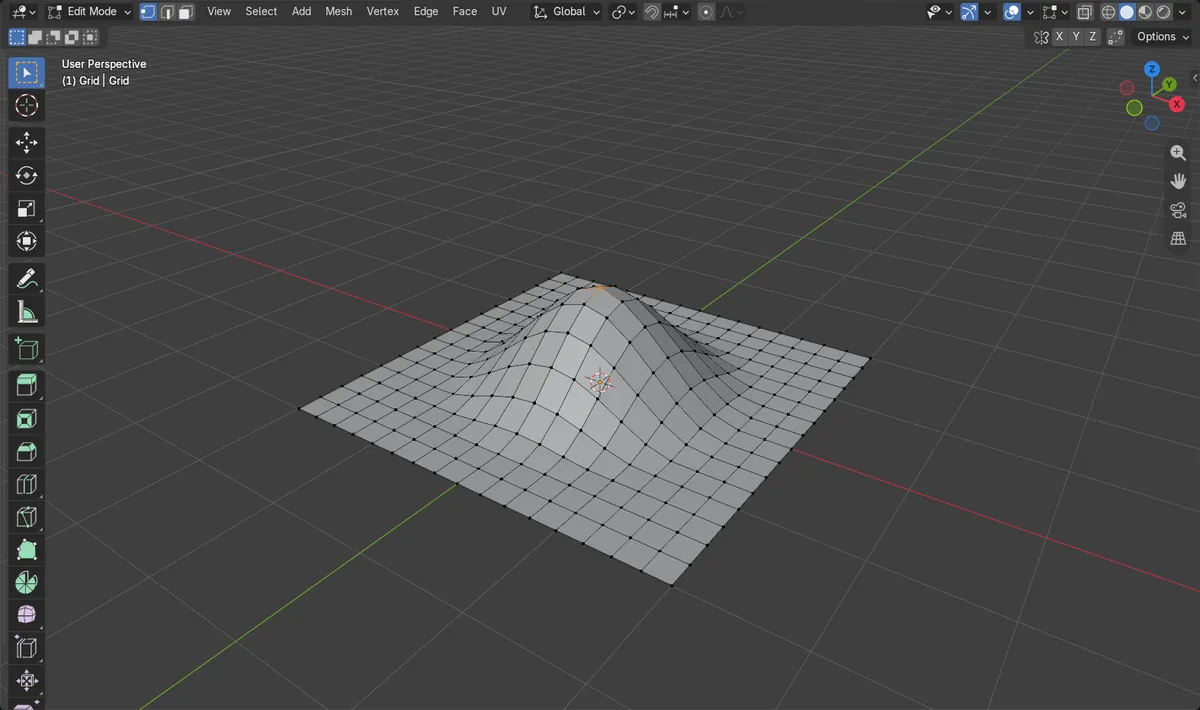
O toggles it
Turns Proportional Editing on or off in Edit Mode.
Page Up / Page Down
Grows or shrinks the area while you move.
Shift + O falloff
Pie menu with Smooth, Sphere, Sharp, Linear and more.
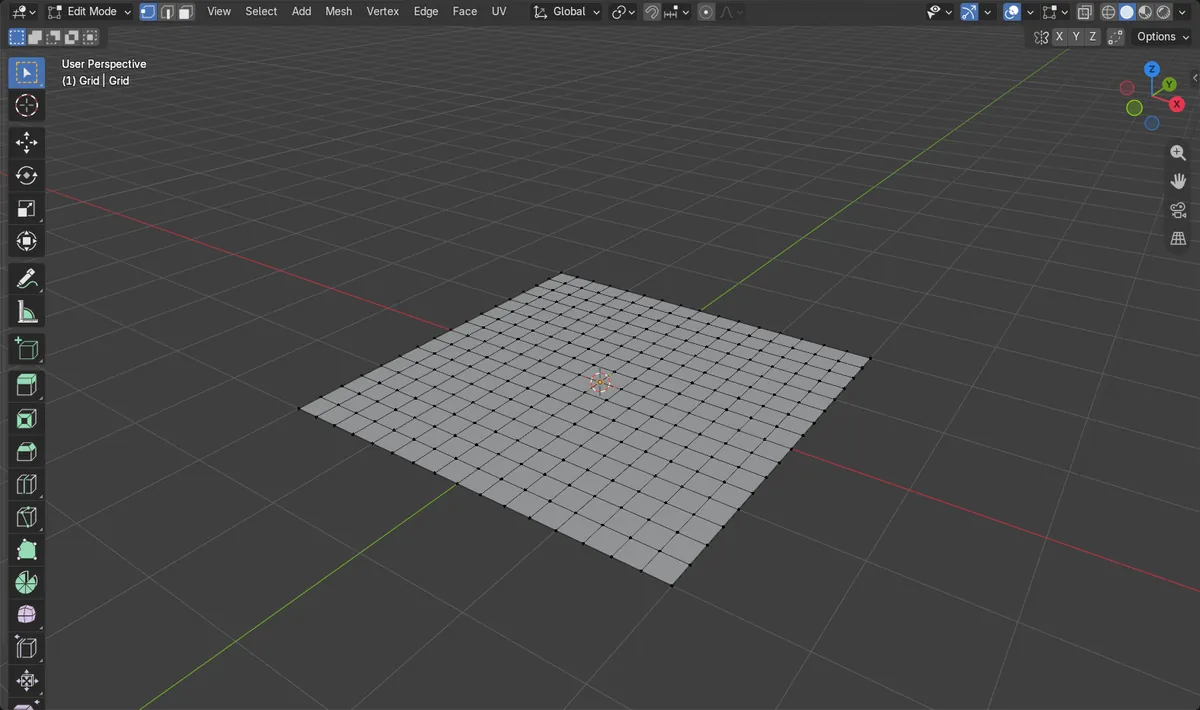
Before and after

AI Scene Builder is a Blender add-on. You type what you want, and it builds it in your scene: buildings, neon signs, wet pavement, fog and lights. Nothing in this picture was modeled by hand.
On a phone now? The add-on runs in Blender on a computer. Send yourself the link and open it there.
Step by step (Blender 5.x)
- Select the mesh and press Tab to enter Edit Mode.
- Press O to turn on Proportional Editing. The header button lights up.
- Select one vertex (or a few) that you want to pull.
- Start moving it with the G key, then type Z so it moves only up and down.
- While moving, press Page Up or Page Down to make the circle of influence bigger or smaller, then click to confirm.
- Press Shift + O to pick another falloff, such as Sharp or Linear, for a different shape.
Other ways to do it
- Click the Proportional Editing button in the 3D Viewport header, and open the arrow next to it for Falloff, Proportional Size and Connected Only
- Shift + O opens the Proportional Editing Falloff pie menu
Common snags
Nothing else moves
The circle of influence is smaller than the gap to the next vertex. Press Page Up while moving, or raise Proportional Size in the header's Proportional Editing popover.
The whole mesh moves
The influence is too large. Press Page Down while moving until only the area you want follows.
Parts you did not want move too
Separate pieces inside the circle are also pulled. Turn on Connected Only (Alt + O in Edit Mode) so only linked geometry is affected.
An AI add-on for Blender
AI Scene Builder is a Blender add-on that builds and edits your scene from one typed request, such as “a small wooden table with two chairs”. Each request can be undone in one click.
 A log cabin room built with the add-on from 9 typed requests. See every request →
Questions
What is the shortcut for proportional editing in Blender?
O turns Proportional Editing on and off. Shift + O opens the falloff pie menu.
How do I change the proportional editing size?
Press Page Up or Page Down while moving, rotating or scaling. You can also set Proportional Size in the Proportional Editing popover in the header.
Can I use proportional editing on objects?
Yes. In Object Mode, O toggles Proportional Editing Objects, so nearby objects move along with the selected one.
What the pictures show
- Before: a flat 16 x 16 grid with 289 vertices, all at height 0, and one centre vertex selected.
- After moving that vertex up 1 m with Smooth falloff and size 1.5 m: it sits at z = 1 m and 97 vertices in total were raised.
- Only one vertex was selected; the other 96 moved because of the falloff.
- Results were identical in Blender 4.2 LTS and Blender 5.x.