How to Select All Objects of One Type in Blender
In Object Mode, open Select › Select All by Type in the 3D Viewport header and pick the type, such as Mesh, Light or Camera: every visible object of that type is selected in one click. To match the type of the object you already have selected, press Shift + G and choose Type.
- Mode
- Object Mode, 3D Viewport
- Menu
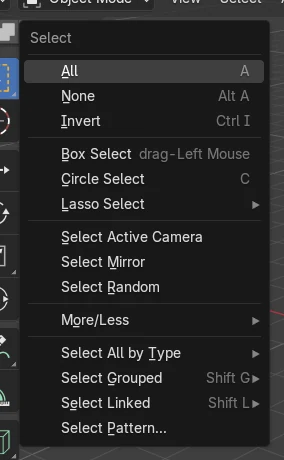
- Select › Select All by Type
- Shortcut
- Shift + G
Select All by Type
Lists Mesh, Curve, Text, Armature, Empty, Light, Camera and more.
Shift + G > Type
Selects everything with the same type as the active object.
Extend option
Adds to the current selection instead of replacing it.
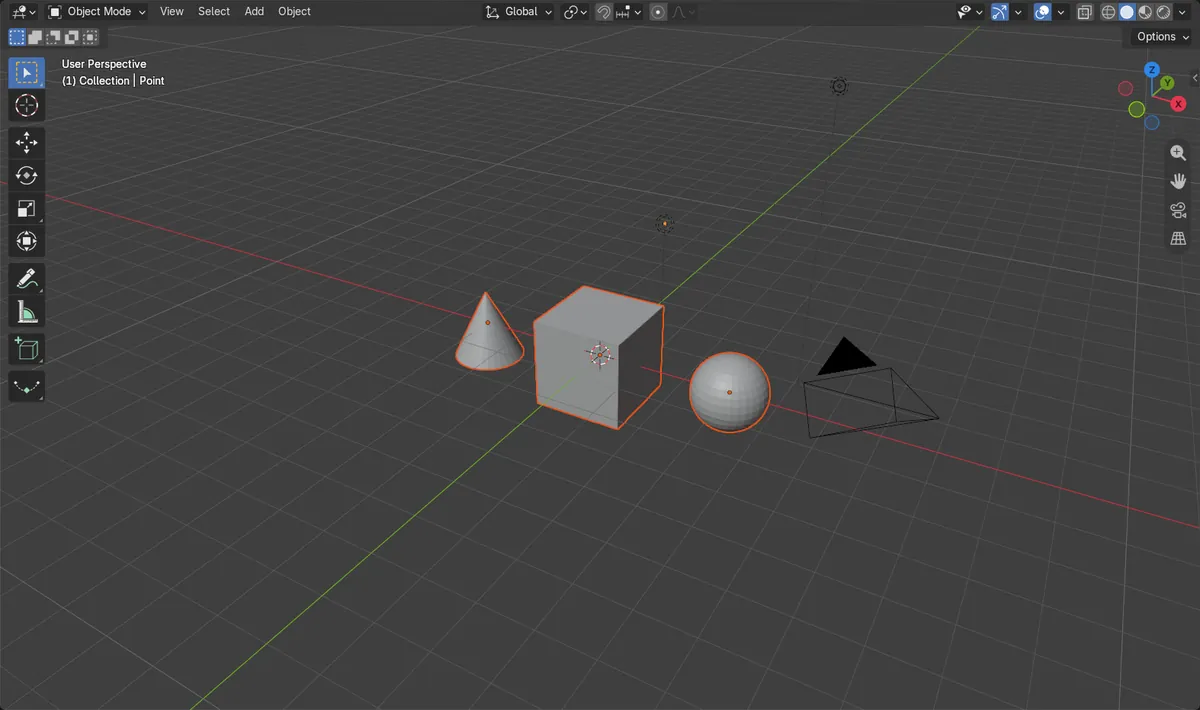
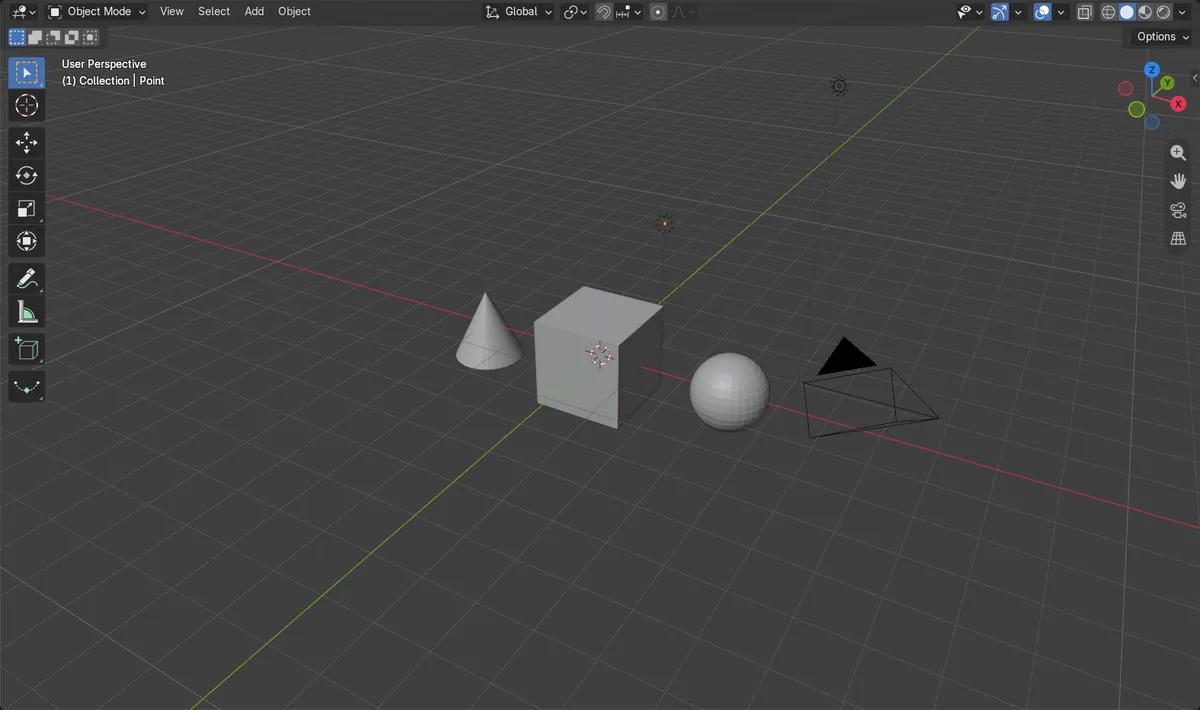
Before and after

AI Scene Builder is a Blender add-on. You type what you want, and it builds it in your scene: buildings, neon signs, wet pavement, fog and lights. Nothing in this picture was modeled by hand.
On a phone now? The add-on runs in Blender on a computer. Send yourself the link and open it there.
Step by step (Blender 5.x)
- Make sure you are in Object Mode with the mouse over the 3D Viewport.
- Open the Select menu in the 3D Viewport header.
- Hover Select All by Type.
- Click the type you want, for example Mesh. All visible mesh objects are now selected.
- Optional: open the Adjust Last Operation panel in the lower left and tick Extend to keep what was selected before.
Other ways to do it
- Click one object of the type, press Shift + G and choose Type
- In the Outliner, open the Filter drop-down and untick the object types you do not want listed
Blender 4.2 LTS vs Blender 5.x
| What | Blender 4.2 LTS | Blender 5.x |
|---|---|---|
| Grease Pencil entries | Grease Pencil and Grease Pencil v3 are listed separately | One Grease Pencil entry |
Common snags
Hidden objects are not selected
Select All by Type only picks visible objects. Unhide them first if you need them too.
The old selection is gone
The command replaces the selection by default. Tick Extend in the Adjust Last Operation panel to add to it instead.
Shift + G does nothing
The Type option needs an active object. Click one object of the wanted type first.
An AI add-on for Blender
AI Scene Builder is a Blender add-on that builds and edits your scene from one typed request, such as “a small wooden table with two chairs”. Each request can be undone in one click.
 A log cabin room built with the add-on from 9 typed requests. See every request →
Questions
How do I select all lights in Blender?
In Object Mode open Select › Select All by Type and choose Light.
How do I select all meshes at once?
Use Select › Select All by Type › Mesh, or click one mesh and choose Type in the Shift + G menu.
How do I deselect everything?
Press Alt + A in Object Mode.
What the pictures show
- Before: a scene with 3 mesh objects plus other objects, with nothing selected.
- After Select All by Type > Mesh: 3 objects are selected and all of them are meshes.
- Results were identical in Blender 4.2 LTS and Blender 5.x.