How to Set the Camera to the Current View in Blender
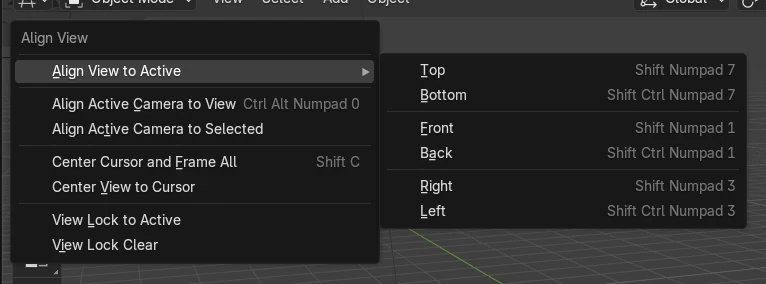
Hover over the 3D Viewport and press Ctrl + Alt + Numpad 0, or choose View › Align View › Align Active Camera to View. The active scene camera moves and rotates to match what you are looking at.
- Mode
- 3D Viewport (any mode with a scene camera set)
- Menu
- View › Align View › Align Active Camera to View
- Shortcut
- Ctrl + Alt + Numpad 0
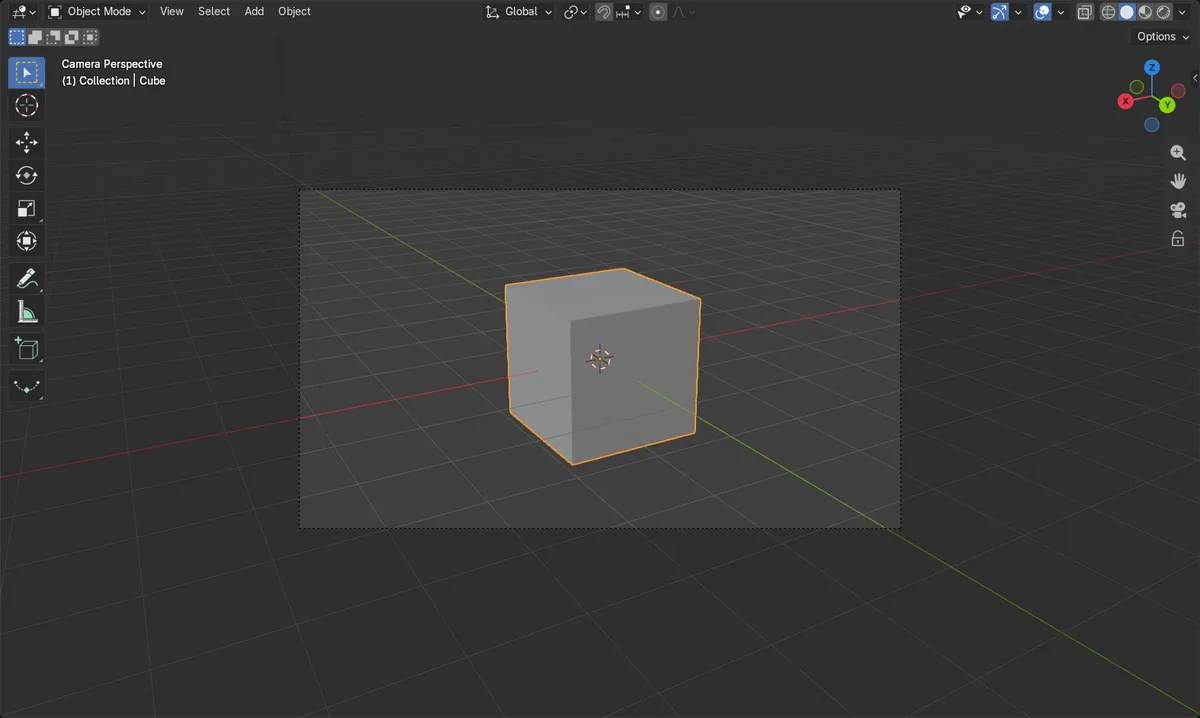
Shortcut
Ctrl + Alt + Numpad 0 with the mouse over the 3D Viewport.
Menu route
View › Align View › Align Active Camera to View.
Exact match
The camera lands exactly on the viewport's view position.
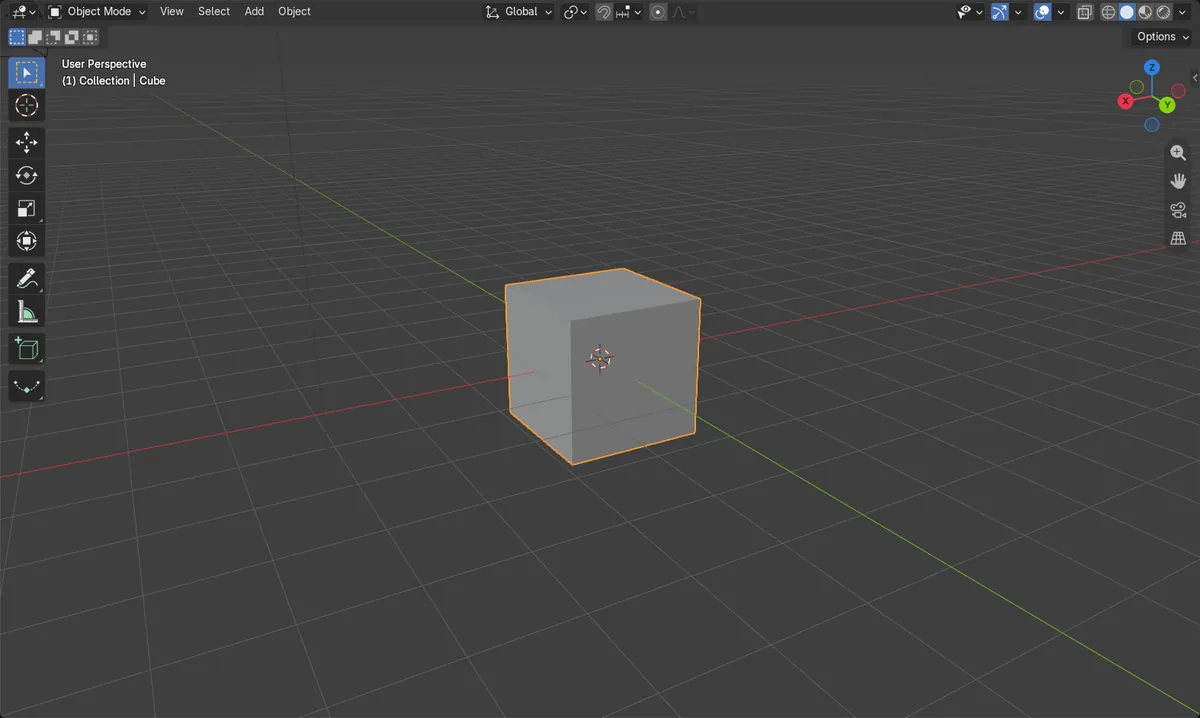
Before and after

AI Scene Builder is a Blender add-on. You type what you want, and it builds it in your scene: buildings, neon signs, wet pavement, fog and lights. Nothing in this picture was modeled by hand.
On a phone now? The add-on runs in Blender on a computer. Send yourself the link and open it there.
Step by step (Blender 5.x)
- Make sure the scene has an active camera (Scene tab › Camera).
- Orbit, pan and zoom in the 3D Viewport until you see the framing you want.
- With the mouse over the 3D Viewport, choose View › Align View › Align Active Camera to View, or press Ctrl + Alt + Numpad 0.
- Press Numpad 0 to look through the camera and check the result.
Other ways to do it
- View › Cameras › Set Active Object as Camera (Ctrl + Numpad 0) makes the active object the scene camera.
- View › Align View › Align Active Camera to Selected frames the selected objects with the camera.
Common snags
No numpad
Laptops often lack Numpad 0, so the shortcut does nothing. Use View › Align View › Align Active Camera to View instead.
No active camera
The scene needs an active camera. Add a camera and set it in Scene tab › Camera, or select it and use View › Cameras › Set Active Object as Camera.
Mouse in the wrong editor
The shortcut only works when the pointer is over the 3D Viewport. Move the mouse there before pressing the keys.
Or type one line in AI Scene Builder
AI Scene Builder is a Blender add-on that carries out the steps for you from one typed request. For this task, type a request like this one, using your own object names:
Move the active camera to match my current viewport view A lighthouse island at sunset built with the add-on from 10 typed requests. See every request →
Questions
What is the shortcut to align the camera to the view in Blender?
Press Ctrl + Alt + Numpad 0 with the mouse over the 3D Viewport.
How do I make the camera follow my viewport as I navigate?
Open the Sidebar (N), go to the View tab, and in View Lock tick Camera to View.
How do I look through the camera afterwards?
Press Numpad 0 in the 3D Viewport.
What the pictures show
- Before: the camera sat at about (7.36, -6.93, 4.96) m, roughly 16.8 m from the viewport's view position.
- After: the camera sat at (5.64, 9.77, 4.10) m, exactly the viewport's view position (distance 0 m).
- The camera rotation changed to match the view, from about 63.6° to 70° on X and from 46.7° to 150° on Z.