How to Set the Start and End Frame in Blender
Open the Output Properties tab and type the numbers into Frame Start and End under Frame Range: playback and rendering then use only those frames. In the Timeline you can also go to a frame and press Ctrl + Home to make it the start, or Ctrl + End to make it the end.
- Mode
- Any mode, Properties Editor and Timeline
- Menu
- Output Properties › Frame Range
- Shortcut
- Ctrl + Home / Ctrl + End
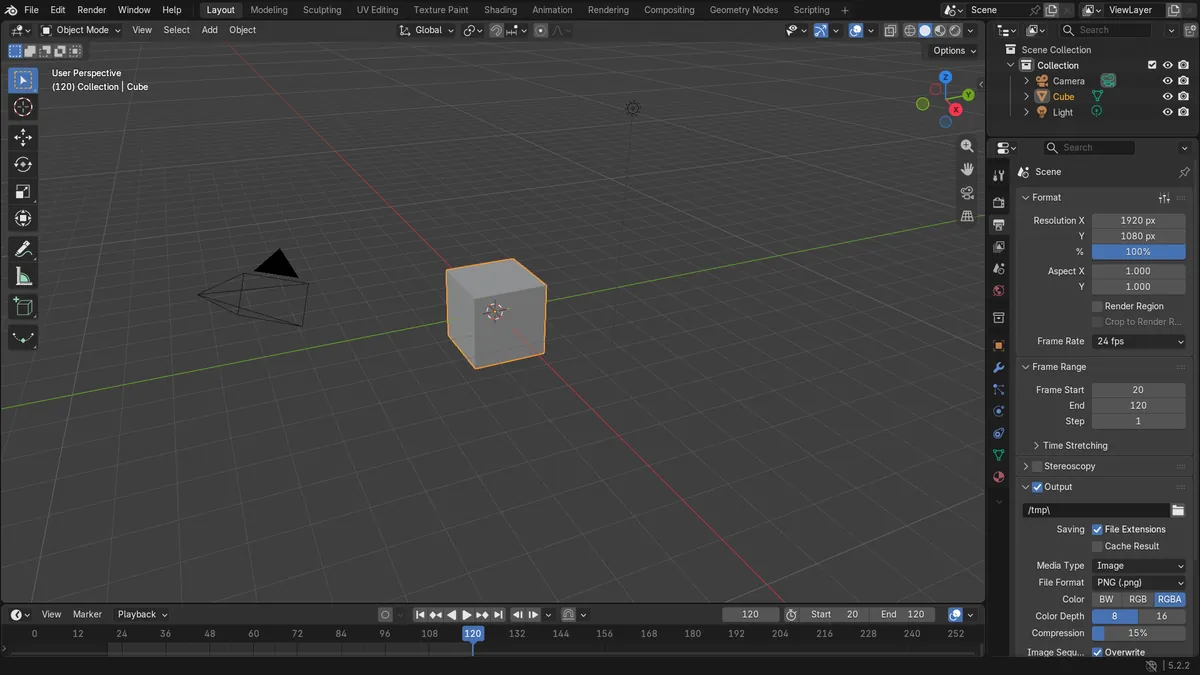
Frame Range panel
Frame Start and End in the Output tab set the scene length.
Ctrl + Home / Ctrl + End
Turn the current frame into the start or end frame.
P for a preview range
Drag a box in the Timeline to loop only part of the animation.
Before and after

AI Scene Builder is a Blender add-on. You type what you want, and it builds it in your scene: buildings, neon signs, wet pavement, fog and lights. Nothing in this picture was modeled by hand.
On a phone now? The add-on runs in Blender on a computer. Send yourself the link and open it there.
Step by step (Blender 5.x)
- Open the Properties Editor and click the Output Properties tab (the printer icon).
- Find the Frame Range panel.
- Double-click Frame Start and type the first frame, for example 20.
- Double-click End and type the last frame, for example 120.
- Play the animation: it now loops from the start frame to the end frame only.
Other ways to do it
- In the Timeline, move to a frame and press Ctrl + Home to set the start or Ctrl + End to set the end
- Press P in the Timeline and drag a box to set a temporary preview range that does not change the render
Common snags
The render still has 250 frames
A preview range was set instead of the scene range. The orange-tinted range only affects playback; set Frame Start and End in the Output tab for the render.
Keys before the start frame are cut off
Frames outside the range are not played or rendered. The keys are still there, so widen the range again if you need them.
Ctrl + Home does nothing
The mouse must be over an animation editor such as the Timeline or Dope Sheet when you press it.
An AI add-on for Blender
AI Scene Builder is a Blender add-on that builds and edits your scene from one typed request, such as “a small wooden table with two chairs”. Each request can be undone in one click.
 An evening market street built with the add-on from 11 typed requests. See every request →
Questions
How do I change the length of an animation in Blender?
Set Frame Start and End in Output Properties › Frame Range. The animation then runs between those two frames.
What is the shortcut to set the end frame?
Go to the frame in the Timeline and press Ctrl + End. Ctrl + Home sets the start frame the same way.
How do I loop only part of the animation while working?
Press P in the Timeline and drag over the frames you want. Playback loops there without changing the render range.
What the pictures show
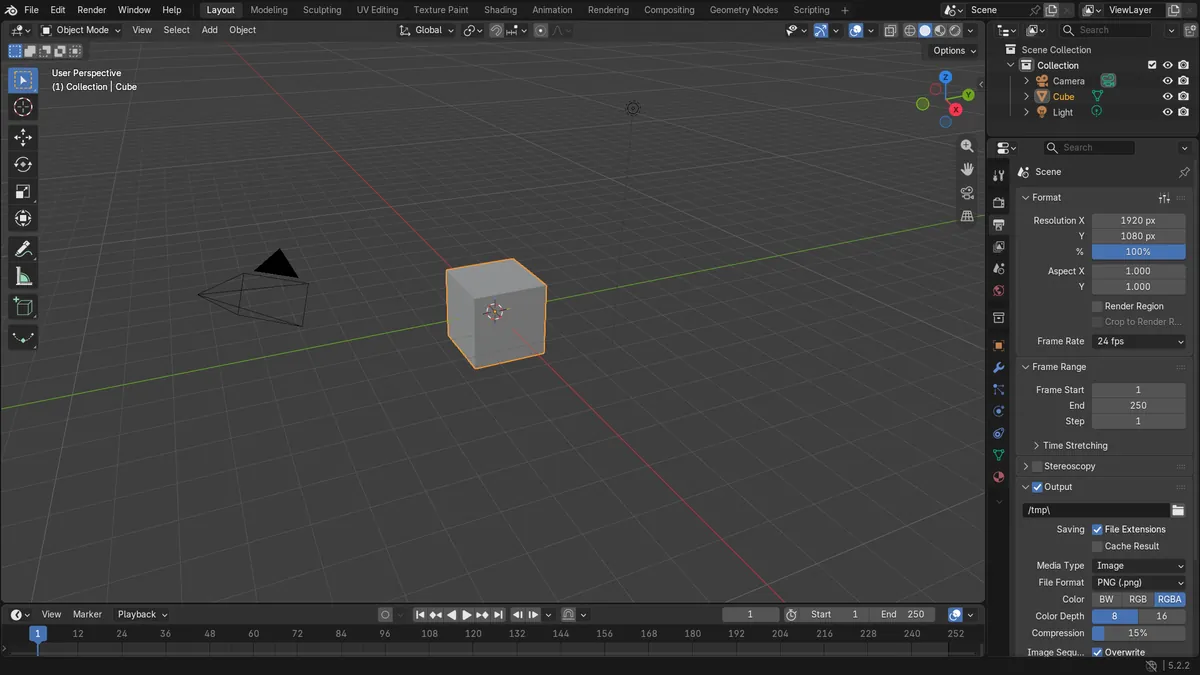
- Before: the scene ran from frame 1 to frame 250.
- After setting the range: Frame Start is 20 and End is 120.
- Results were identical in Blender 4.2 LTS and Blender 5.x.