How to Change the Frame Rate in Blender
Open the Properties editor, go to the Output tab, and find the Format panel. Use the frame rate menu there to pick a preset such as 24 or 30, or set the FPS (and FPS Base if needed) yourself.
- Mode
- Properties editor, Output tab (any mode)
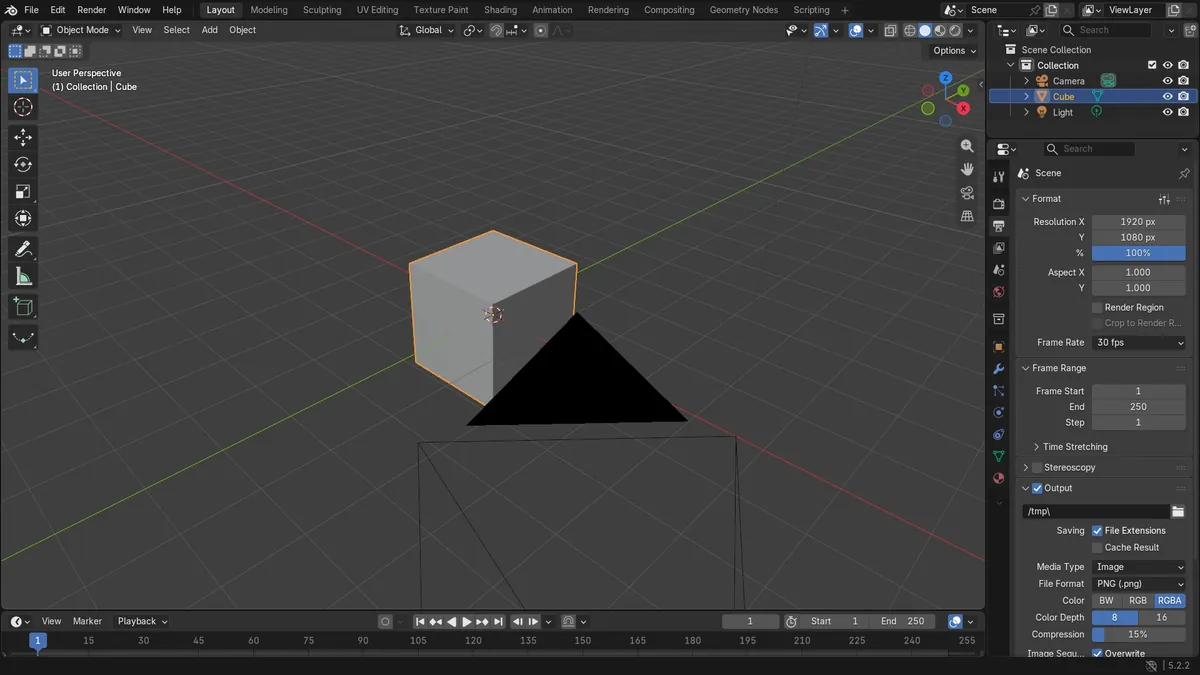
Output tab
The frame rate lives in the Format panel of the Output tab.
Presets or custom
Pick a preset from the menu, or enter FPS and FPS Base yourself.
Duration changes
Same frame range at a higher rate gives a shorter clip.
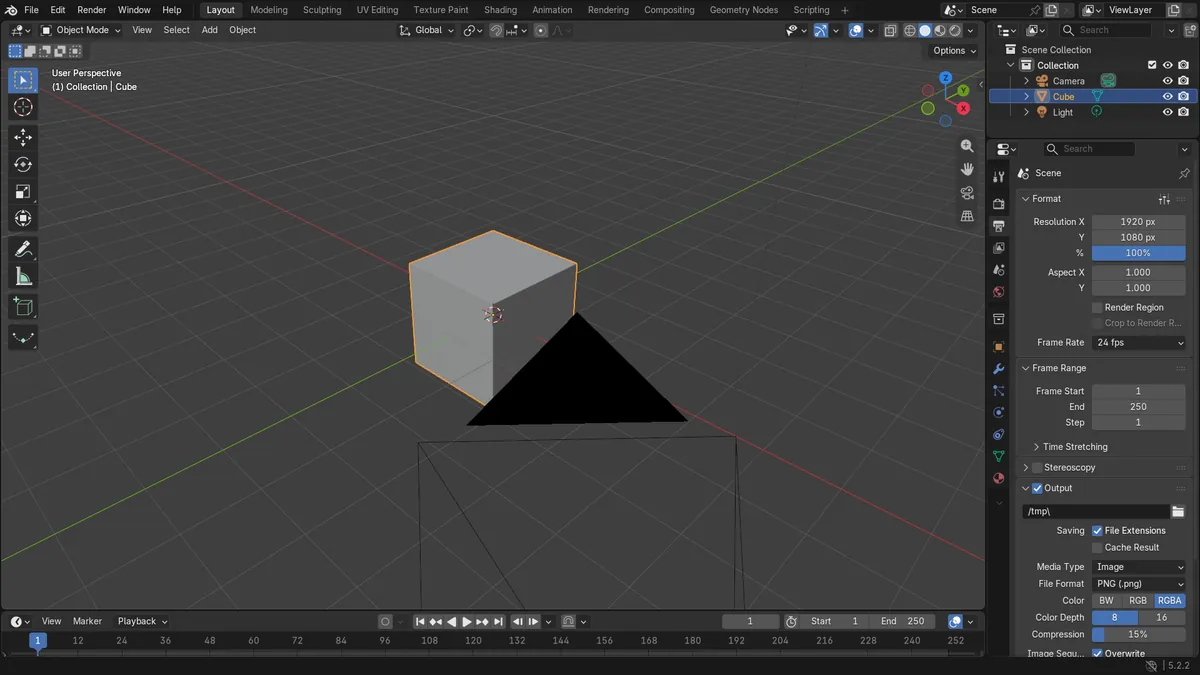
Before and after

AI Scene Builder is a Blender add-on. You type what you want, and it builds it in your scene: buildings, neon signs, wet pavement, fog and lights. Nothing in this picture was modeled by hand.
On a phone now? The add-on runs in Blender on a computer. Send yourself the link and open it there.
Step by step (Blender 5.x)
- Hover over the Properties editor and click the Output tab.
- Open the Format panel and click the frame rate menu next to Frame Rate (it shows the current rate, for example 24 fps).
- Choose a rate from the Frame Rate Presets list, or set the FPS and FPS Base fields for a custom rate.
- For a custom rate, type the number in FPS. Leave FPS Base at 1.0 unless you need rates like 29.97 (30 with a base of 1.001).
- Check the Frame Range panel (Frame Start and End) because the same number of frames now lasts a different time.
Common snags
Wrong tab
You cannot find the FPS setting in the Render tab. It is in the Output tab, in the Format panel.
Odd value like 29.97
If the menu shows Custom, the effective rate (FPS divided by FPS Base) is not one of the standard rates. Pick a preset again or set FPS Base back to 1.0.
Clip length seems wrong
Changing the frame rate does not change Frame Start or End. Adjust them in the Frame Range panel if you want the same duration.
Or type one line in AI Scene Builder
AI Scene Builder is a Blender add-on that carries out the steps for you from one typed request. For this task, type a request like this one, using your own object names:
Set the scene frame rate to 30 fps An evening market street built with the add-on from 11 typed requests. See every request →
Questions
Where is the FPS setting in Blender?
It is in the Properties editor, Output tab, Format panel, in the frame rate menu and the FPS fields.
What is FPS Base for?
The effective rate is FPS divided by FPS Base. Keep it at 1.0 for whole-number rates, and change it for rates like 29.97.
What the pictures show
- Frame rate changed from 24 fps to 30 fps with FPS Base staying at 1.0.
- The effective rate went from 24.0 to 30.0.
- With 250 frames, the duration dropped from 10.42 s to 8.33 s.
- The result was the same in Blender 4.2 LTS and 5.2.