How to Export the Blender Video Editor Timeline to OpenTimelineIO
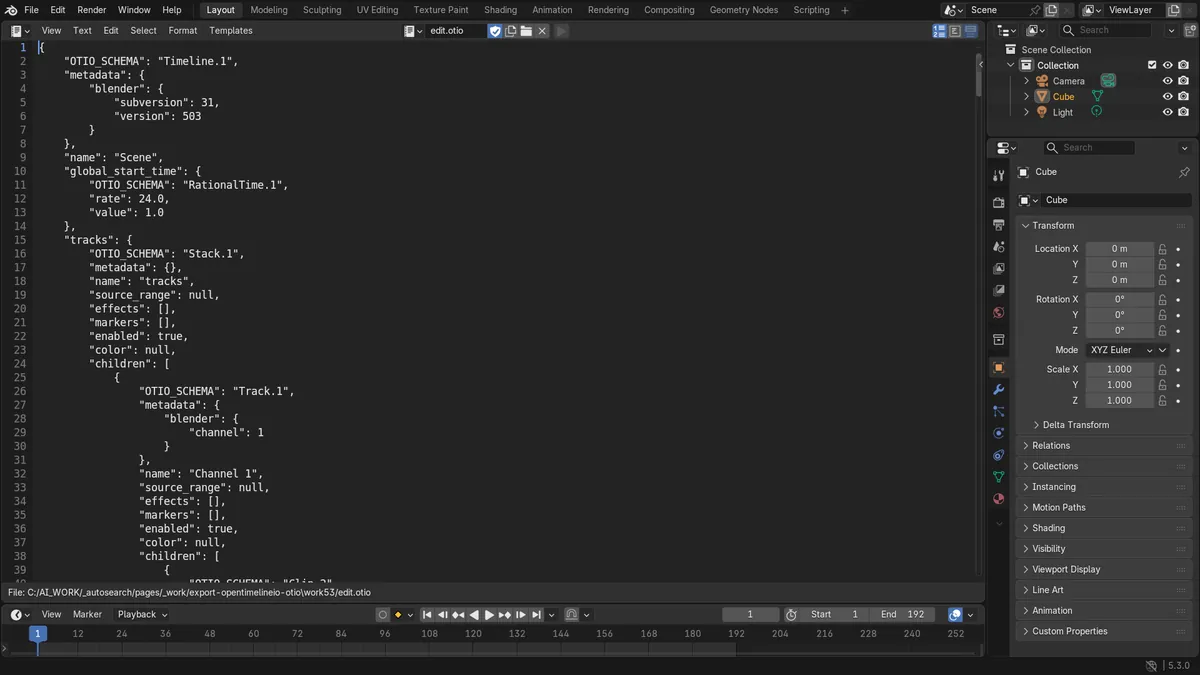
In Blender 5.3, open the edit in the Video Sequencer and choose File › Export, then OpenTimelineIO (.otio), and save the file. Blender writes the timeline of the sequencer scene to an .otio file, with one track per channel and one clip per strip, keeping the strip names.
- Mode
- Video Sequencer
- Menu
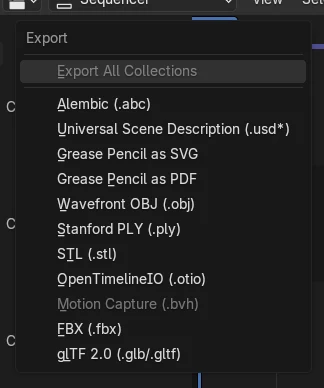
- File › Export, then OpenTimelineIO (.otio)
File > Export
Pick OpenTimelineIO (.otio) in the list.
Tracks and clips
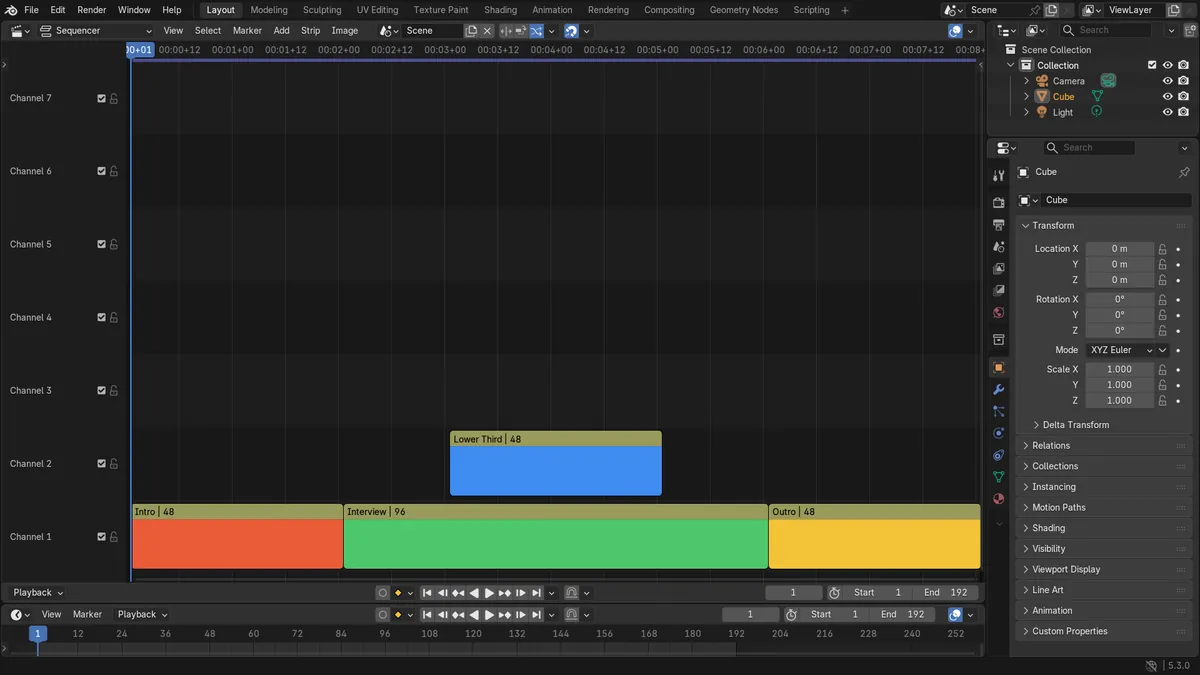
Each channel becomes a track, each strip a clip.
New in 5.3
Blender 5.2 LTS has no OTIO export or import.
Before and after

AI Scene Builder is a Blender add-on. You type what you want, and it builds it in your scene: buildings, neon signs, wet pavement, fog and lights. Nothing in this picture was modeled by hand.
On a phone now? The add-on runs in Blender on a computer. Send yourself the link and open it there.
Step by step (Blender 5.3)
- Open your edit in the Video Sequencer and check that the scene selector in the Sequencer header shows the scene you want to export.
- Choose File › Export, then OpenTimelineIO (.otio).
- Pick a folder, type a file name ending in .otio and click Export OTIO.
- Open the .otio file in the other editing program that reads OpenTimelineIO, or bring it back into Blender with File › Import, then OpenTimelineIO (.otio).
Other ways to do it
- File › Import, then OpenTimelineIO (.otio) reads an .otio timeline into the sequencer scene
- The Sequencer Scene setting in the Workspace panel picks which scene the sequencer uses, and so which edit is exported
Blender 5.2 LTS vs Blender 5.3
| What | Blender 5.2 LTS | Blender 5.3 |
|---|---|---|
| Export OTIO | Not in Blender 5.2 LTS. File › Export has no OpenTimelineIO (.otio) entry. | Blender 5.3 has File › Export, then OpenTimelineIO (.otio). |
| Import OTIO | Not in Blender 5.2 LTS. | Blender 5.3 has File › Import, then OpenTimelineIO (.otio). |
Common snags
The file has the wrong edit
Export OTIO writes the sequencer scene, which may not be the scene you are looking at in other editors. Pick the right scene in the scene selector of the Sequencer header, or in Sequencer Scene in the Workspace panel, and export again.
Clips have unclear names in the other program
The clip names in the .otio file are the strip names from Blender. Rename the strips in the Sequencer first (for example Intro or Interview instead of Color), then export again.
There is no OpenTimelineIO entry
OTIO export is new in Blender 5.3. In Blender 5.2 LTS File › Export does not list it.
An AI add-on for Blender
AI Scene Builder is a Blender add-on that builds and edits your scene from one typed request, such as “a small wooden table with two chairs”. Each request can be undone in one click.
 A log cabin room built with the add-on from 9 typed requests. See every request →
Questions
Can Blender export an edit to other video editors?
Yes, in Blender 5.3. Choose File › Export, then OpenTimelineIO (.otio), and open the .otio file in an editor that reads OpenTimelineIO.
Can I import an .otio file into Blender?
Yes, in Blender 5.3. Choose File › Import, then OpenTimelineIO (.otio), and the timeline is read into the sequencer scene.
Are the strip names kept in the .otio file?
Yes. Each strip becomes a clip with the same name, and each channel becomes a track.
What the pictures show
- Before: an edit of four strips on two channels (Intro, Interview and Outro on channel 1, Lower Third on channel 2) and no .otio file.
- After Export OTIO: an .otio file was written that holds an OpenTimelineIO timeline.
- The file had 2 tracks (one per channel) and 4 clips (one per strip).
- All four strip names (Intro, Interview, Outro and Lower Third) were kept in the file.