How to Pack Images into the .blend File from the Outliner (Blender 5.3)
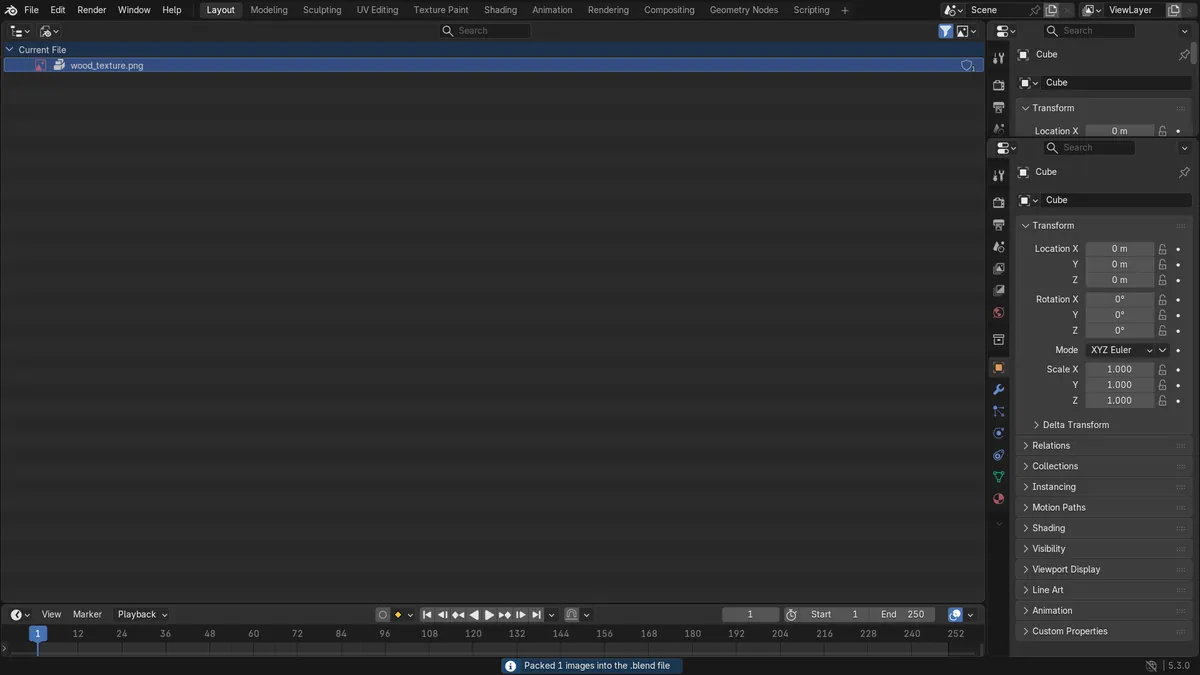
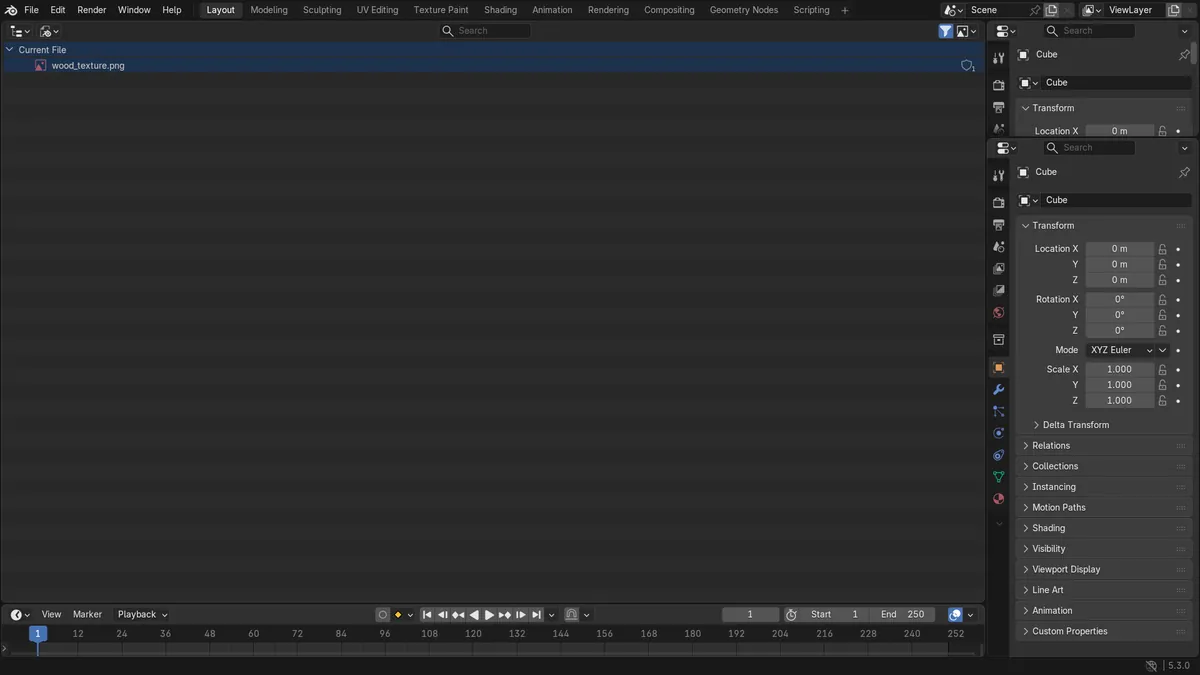
In Blender 5.3, set the Outliner's Display Mode to Blender File, expand Images, right-click the image and choose Pack. In the test, the external file wood_texture.png (64 x 64 pixels) went from not packed to packed, and the packed data was 825 bytes, the same size as the PNG file on disk. A package icon appears next to the image in the Outliner. Save the .blend file afterwards to keep the packed copy.
- Mode
- Outliner, Blender File display mode
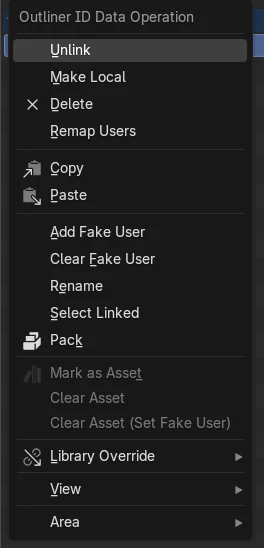
Pack in the right-click menu
Right-clicking an image in the Outliner's Blender File view now shows Pack, which embeds the selected data-blocks into the .blend file.
The whole file is embedded
After Pack, the 825-byte PNG was stored inside the .blend data, and the image kept its size and its file path.
New in 5.3
In Blender 5.2 LTS the same right-click menu has no Pack, so images are packed from the Image Editor or all at once from the File menu.
Before and after

AI Scene Builder is a Blender add-on. You type what you want, and it builds it in your scene: buildings, neon signs, wet pavement, fog and lights. Nothing in this picture was modeled by hand.
On a phone now? The add-on runs in Blender on a computer. Send yourself the link and open it there.
Step by step (Blender 5.3)
- In the Outliner header, open the Display Mode drop-down and choose Blender File.
- Expand the current file and then Images to see the images used in the scene.
- Click the image you want to embed so it is selected.
- Right-click the image and choose Pack.Blender 5.2 LTS: Blender 5.2 LTS has no Pack in this menu. Open the image in an Image Editor and use Image › Pack instead.
- Check that a package icon now shows next to the image name.
- Save the .blend file so the packed image is written into it.
Other ways to do it
- In an Image Editor with the image open, use Image › Pack
- Use File › External Data › Pack Resources to embed every external file the scene uses at once
Blender 5.2 LTS vs Blender 5.3
| What | Blender 5.2 LTS | Blender 5.3 |
|---|---|---|
| Pack in the Outliner | Not in Blender 5.2 LTS. The Outliner right-click menu for an image has no Pack entry. | Blender 5.3 adds Pack to the right-click menu of data-blocks in the Outliner's Blender File view. |
Common snags
Pack is missing from the right-click menu
The Outliner is in View Layer mode, where images are not listed, or you are on Blender 5.2 LTS. Switch Display Mode to Blender File and right-click the image row under Images.
The image is still listed with its old file path
That is expected. Packing keeps the original path so that Unpack Image can write the file back to disk later. The package icon shows that the pixels now come from the .blend file.
The packed image is gone after reopening the file
Pack embeds the image in the open session. Save the .blend file after packing, otherwise the next time it opens the image is read from disk again.
An AI add-on for Blender
AI Scene Builder is a Blender add-on that builds and edits your scene from one typed request, such as “a small wooden table with two chairs”. Each request can be undone in one click.
 A lighthouse island at sunset built with the add-on from 10 typed requests. See every request →
Questions
How do I pack one texture into a .blend file in Blender?
In Blender 5.3, set the Outliner to Blender File, expand Images, right-click the texture and choose Pack, then save the file. In older versions, open it in an Image Editor and use Image › Pack.
How do I pack all textures at once?
Use File › External Data › Pack Resources. It embeds every external file the scene uses into the .blend file.
Does packing change the image?
No. In the test the image kept its size and file path, and the packed data was the same size as the PNG file.
What the pictures show
- Before: the Outliner in Blender File view listed one image, wood_texture.png, a 64 x 64 pixel PNG loaded from disk and not packed.
- After right-clicking it and choosing Pack in Blender 5.3: the image was packed, its packed data was 825 bytes (the size of the PNG file), and a package icon showed next to it.
- In Blender 5.2 LTS the same right-click menu had no Pack entry, and the image stayed unpacked.