What is new in Blender 5.4 Alpha, and how to use each new tool
 AI Scene Builder · An AI add-on for BlenderTry it free: 15 credits, no card ›
The new tools in Blender 5.4 Alpha, one short tested answer each: the exact menu path and keys, a before and after picture, and what Blender 5.3 lacks.
Blender 5.4 is in Alpha until February 3, 2027, according to the official Blender 5.4 release notes.
New in Blender 5.4 Alpha › More 5.4 changes › New in Blender 5.3 ›
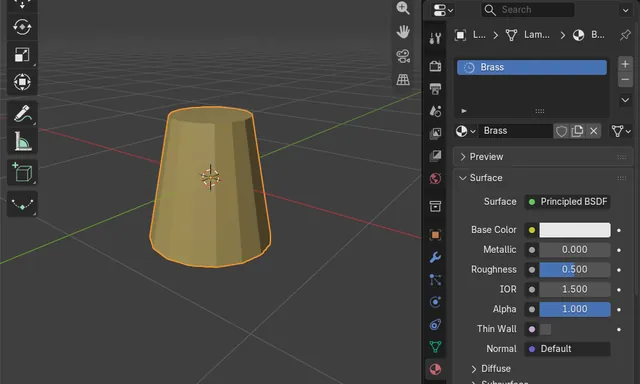
How to Append in Blender Without Keeping Linked Materials (Make Linked Local)
When you use File › Append, keep Make Linked Local turned on in the options of the file browser.
Read the answer ›
How to Change the UI Text Shadow in Blender 5.4 (None, Small, Large or Outline)
Open Edit › Preferences › Themes, expand User Interface › Editor & Widgets and pick an option in the Text Shadow menu: None, Small, Large or Outline.
Read the answer ›
How to Change the Font Size in Blender (5.4 Alpha and 5.3)
In Blender 5.4 Alpha, open Edit › Preferences, go to Interface, expand Text Rendering › Font Style and raise Widget Size; Panel Title Size and Tooltip Size are right next to it.
Read the answer ›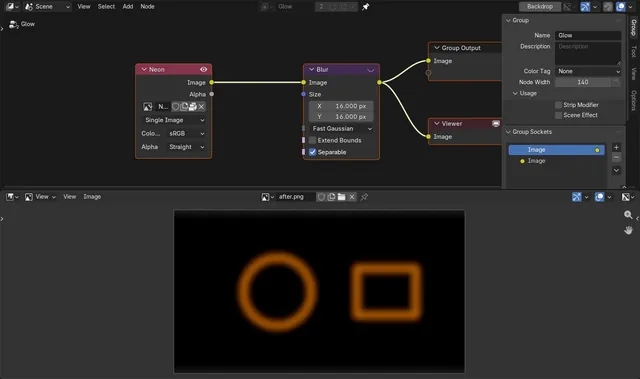
How to Make Compositor Blur Match at a Lower Render Resolution in Blender 5.4
In Blender 5.4, open the compositor in the Node Editor, press N to show the Sidebar, open the Options tab and turn on Adapt To Render Scale in the Performance panel.
Read the answer ›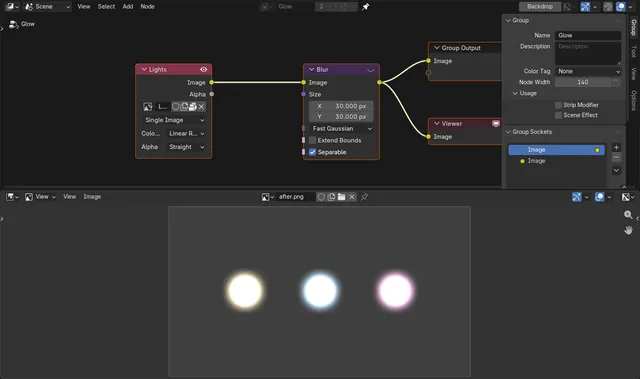
Why Fast Gaussian Blur Makes Dark Rings in the Blender Compositor
In Blender 5.3, the Fast Gaussian type of the compositor Blur node can leave a thin ring that is darker than the background around very bright spots, such as lamps or highlights far above 1.0.
Read the answer ›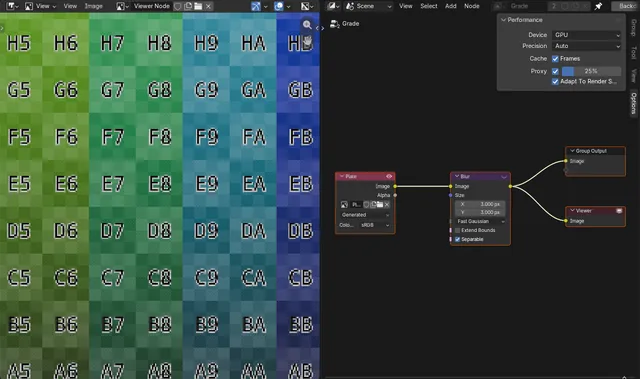
How to Speed Up the Compositor Preview with Proxy in Blender 5.4
In Blender 5.4, open the Compositor, press N for the sidebar, go to the Options tab and, under Performance, tick Proxy and set its percentage (for example 25%).
Read the answer ›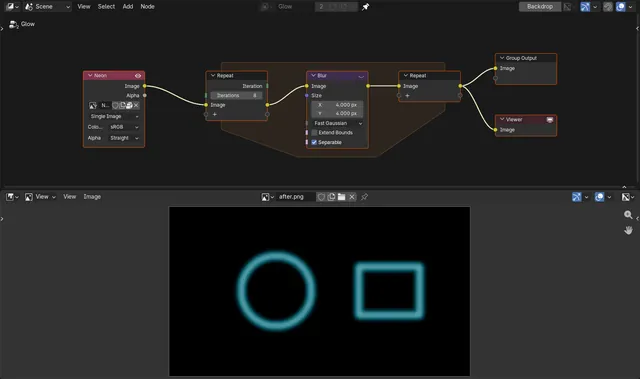
How to Use a Repeat Zone in the Blender 5.4 Compositor
In Blender 5.4, open the compositor node tree, press Shift A and choose Utilities › Repeat.
Read the answer ›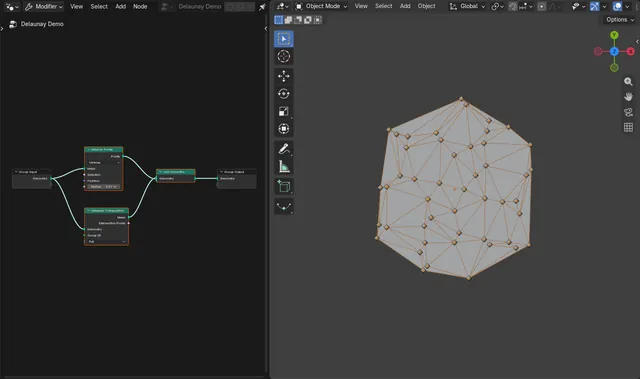
How to Use the Delaunay Triangulation Node in Blender 5.4
In Blender 5.4, open the Geometry Node Editor, press Shift + A and choose Geometry › Operations › Delaunay Triangulation, then connect your points to its Geometry input and its Mesh output to the Group Output.
Read the answer ›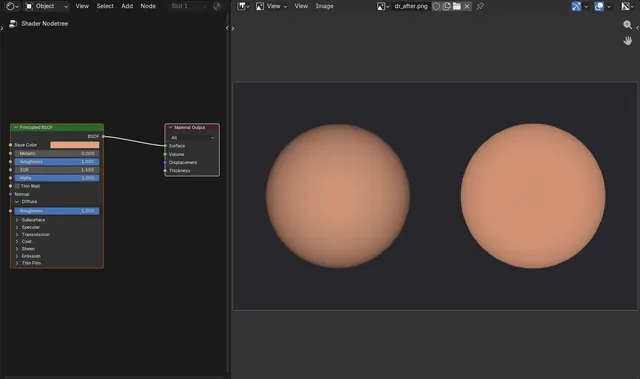
How to Use Diffuse Roughness in EEVEE in Blender 5.4
In Blender 5.4, select the material, open the Principled BSDF node, expand its Diffuse panel and raise Roughness there (the Diffuse Roughness input) from 0 towards 1.
Read the answer ›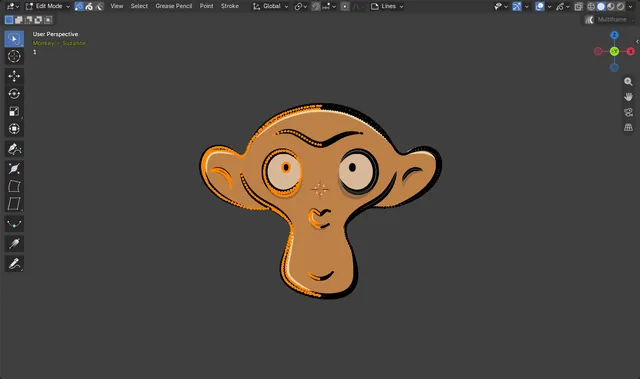
How to Lasso Select in Grease Pencil Edit Mode in Blender 5.4
In Blender 5.4, select a Grease Pencil object and press Tab to enter Edit Mode.
Read the answer ›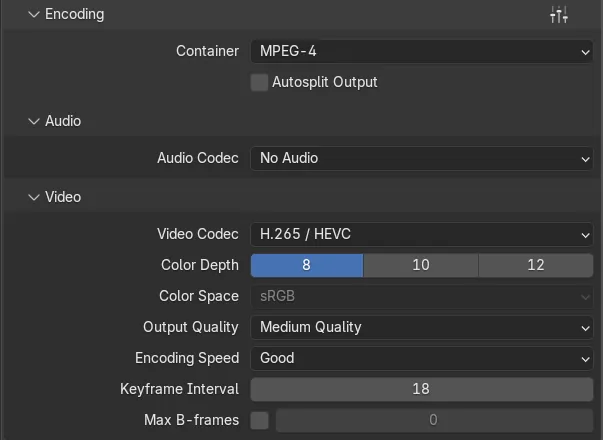
Why Is My H.265 Video Low Quality in Blender? (Output Quality in Blender 5.4)
Up to Blender 5.3, H.265 at a given Output Quality gave a softer picture than H.264 at the same setting, so Medium Quality H.265 videos looked worse than expected.
Read the answer ›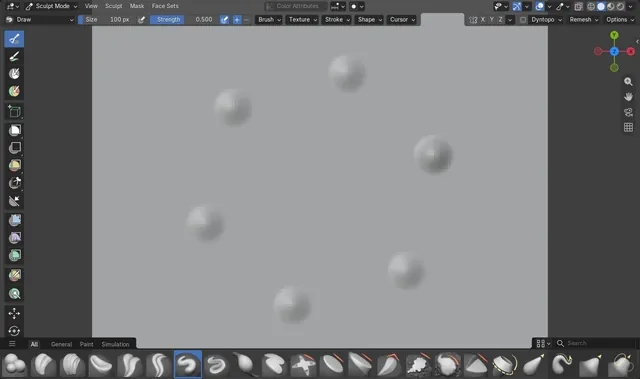
How to Turn Radial Symmetry On in Blender 5.4 Sculpt Mode
In Blender 5.4 Sculpt Mode, open the Symmetry settings (the arrow next to the X Y Z buttons in the tool header, or the Symmetry panel in the Tool tab of the Sidebar (N)), tick Radial Symmetry, then open it and set Count, for example Z = 6.
Read the answer ›
How to Reorder Workspace Tabs in Blender 5.4 (Left / Right)
In Blender 5.4, right-click a workspace tab at the top of the window and choose Reorder to Left or Reorder to Right.
Read the answer ›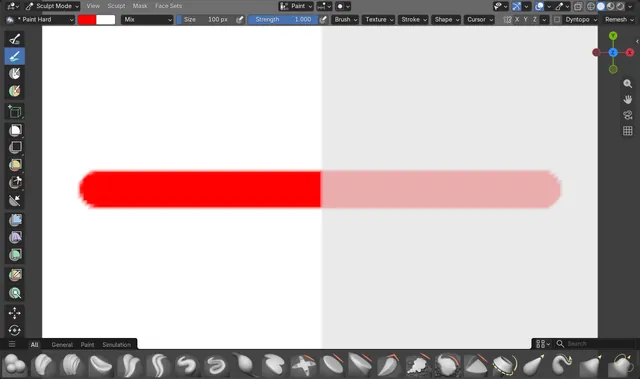
How the Sculpt Paint Brush Respects the Mask in Blender 5.4
In Sculpt Mode, mask the area you want to protect (with the Mask brush or Box Mask), then paint with the Paint brush.
Read the answer ›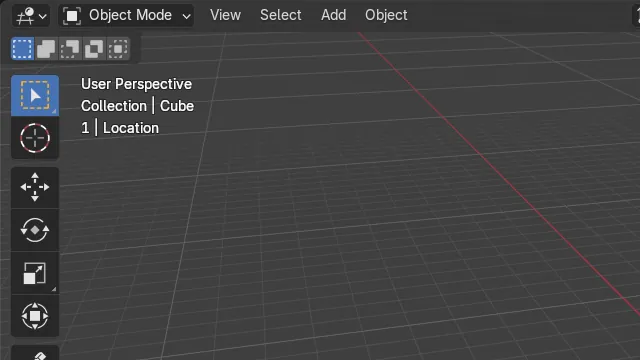
How to See the Active Keying Set in the Blender 5.4 Viewport
In Blender 5.4 the active Keying Set appears in the top-left Text Info of the 3D Viewport, on its own row after the frame number, for example "1 | Location".
Read the answer ›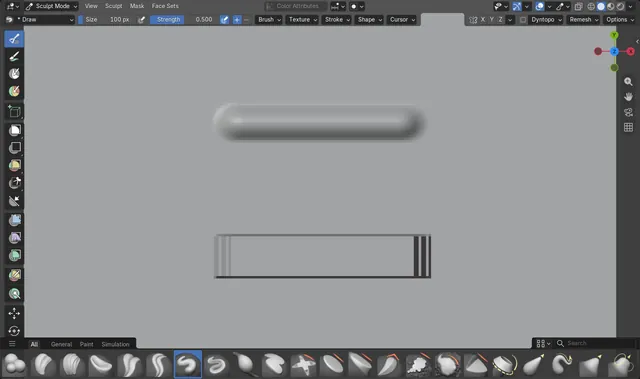
How to Make a Square Sculpt Brush in Blender 5.4 (Tip Roundness)
In Blender 5.4 Sculpt Mode, pick the Draw brush, open Shape in the tool header (or Brush Settings › Shape in the Sidebar's Tool tab) and set Tip Roundness to 0.
Read the answer ›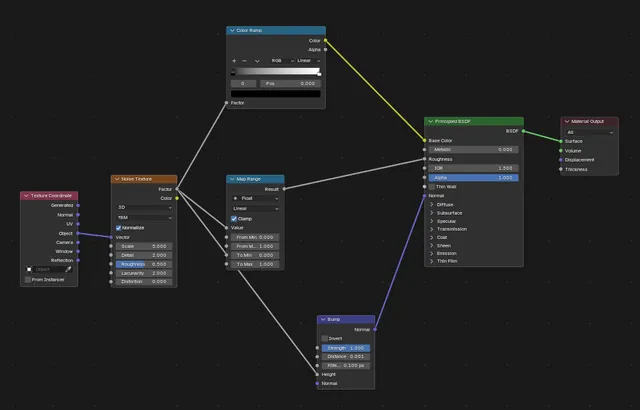
How to Make Node Links Straight in Blender 5.4 (Noodle Curving)
In Blender 5.4, open Edit › Preferences, click Editing, open the Node Editor panel and set Noodle Curving to 0.
Read the answer ›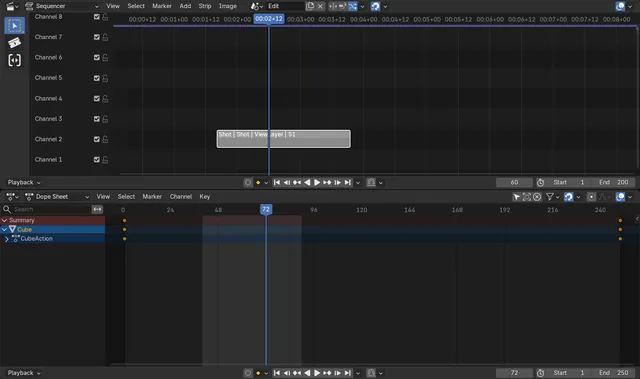
How to Play Only the Scene Strip Range in Blender 5.4
In Blender 5.4, open the Playback menu of the Timeline and tick Use Scene Strip Range in its Sequencer section.
Read the answer ›More changes in the Blender 5.4 release notes
Other new features and changes in Blender 5.4 Alpha, grouped by area as in the official Blender 5.4 release notes.
Closures in the compositor
Closures and the Evaluate Closure node now work in the compositor.
Box Mask and Ellipse Mask link to Mask
Dragging a Box Mask or Ellipse Mask node between two nodes now links it to the Mask socket by default, instead of the Position socket.
Set Background Value in Deactivate Voxels
The Deactivate Voxels node has a new Set Background Value option.
Active Element node in Sculpt and Paint modes
The Active Element node now works for all meshes in Sculpt, Vertex Paint, Weight Paint and Texture Paint modes, as well as in Edit Mode.
Faster White Noise and Perlin noise
White noise and Perlin noise are faster to compute.
Delaunay Triangulation modes
The new Delaunay Triangulation node takes meshes, curves, points and Grease Pencil, offers Full, Inside and Inside with Holes modes with even-odd and non-zero fill rules, and exposes the intersection points as a boolean field.
Microfiber sheen in EEVEE
Sheen BSDF (Microfiber) is added to the Sheen BSDF and Principled BSDF in EEVEE to match Cycles. Before, Principled BSDF used an approximation.
Armature modifier on Bézier curves
The Armature modifier now supports Bézier curves without converting them to Polyline.
Change the Stroke Type in Edit Mode
In Edit Mode, the Stroke Type of selected curves can be changed from the Curve Attribute panel.
Select the stroke under the cursor
A new operator, greasepencil.select_linked_pick(), selects the stroke under the mouse cursor.
Seed for Dots & Squares materials
Dots & Squares materials have a new Seed option in the Randomize panel.
Movies and image sequences on fills and strokes
Movie and Image Sequences can be shown on Fills and Strokes, which also support Color space and Alpha Mode.
Smaller blend files for assets
Files that contain few data-blocks can be much smaller now, which is especially useful for assets.
Make Linked Local and packed data
The Localize All append option is now called Make Linked Local. Linked packed data is no longer localized when it is a dependency of the appended data, even with that option on.
Faster image and movie output
Rendered images are prepared faster for file and movie output.
Smoother high resolution playback
Playback of high resolution sequencer content, such as 4K HDR, is faster because memory allocations are reused between frames.
Fine dragging of Color Ramp stops
Hold Shift while dragging a color stop in a Color Ramp to move it in fine steps.
Backdrop zoom and pan icons
The Node Editor navigation gizmos have new backdrop zoom and pan icons.
Project name in tooltips
For blend files that are part of a project, the tooltip now shows the name of that project.
iPad touch gestures through Sidecar
On macOS, touch gestures are supported for iPad devices connected via Sidecar.
PLY custom attribute types
PLY export writes custom attributes with matching PLY types instead of always as floats.